
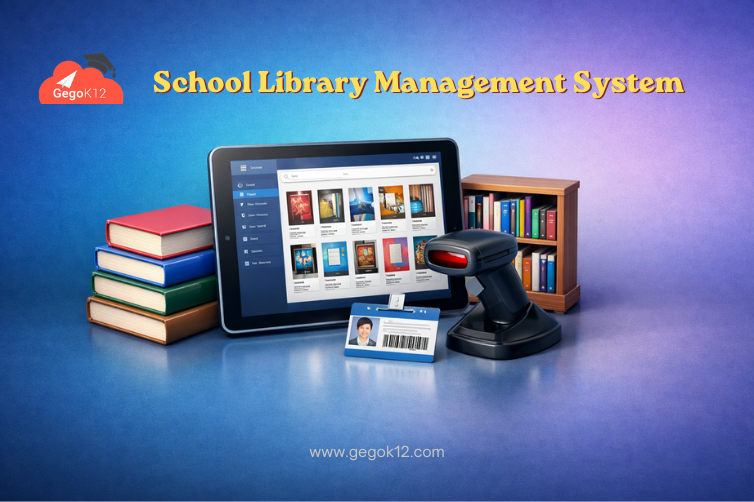
Quick Answer: A library management system for schools is a digital platform that automates book cataloging, circulation tracking, member management, barcode/RFID integration, fine calculation, and provides students with searchable online catalogs — reducing library staff workload by 70%, improving book tracking accuracy to 99%, and increasing student reading engagement by 40% through convenient digital access.
School libraries serve as academic hearts of educational institutions, fostering reading culture, supporting curriculum research, and providing essential learning resources. Yet many libraries still operate through manual registers, handwritten issue cards, and physical catalog searches that create operational inefficiencies while limiting student access to library resources. When students cannot quickly discover whether desired books are available, when librarians spend hours on manual record-keeping instead of reader engagement, and when lost books create unreconciled inventory gaps, library potential remains unrealized.
Modern school library management systems have revolutionized library operations. Schools implementing digital library platforms report 70% reduction in administrative workload, near-elimination of lost book incidents through systematic tracking, 40% increase in circulation as students discover more relevant materials through digital search, and transformation of library staff roles from record-keepers to reading mentors guiding student literary development.
This comprehensive guide explains how library management systems work, what features deliver genuine value beyond basic digitization, and how GegoK12’s integrated library module provides complete automation without expensive per-book licensing costs.
The Hidden Costs of Manual Library Management
Time Consumption and Labor Intensity
Cataloging Burden: Each new book requires manual catalog card creation, classification assignment, shelf location recording, and physical card filing — consuming 10-15 minutes per book. For libraries adding 500-1000 books annually, this represents 80-250 hours of cataloging labor.
Circulation Processing: Issuing books requires finding reader cards, writing book details, calculating return dates, and filing issue records. Returns involve locating issue records, checking for damage, calculating fines, and updating availability. These manual processes consume 3-5 minutes per transaction, totaling 15-25 hours weekly in active libraries.
Inventory Reconciliation: Periodic physical inventory counts to identify missing books consume 40-80 hours quarterly as staff manually verify shelf holdings against catalog records, searching for discrepancies between physical reality and documented records.
Resource Discovery Barriers
Limited Search Capabilities: Card catalogs or manual registers require students to know exact titles or authors. Browsing by subject, discovering books by keywords, or finding materials on specific topics requires librarian assistance or extensive physical shelf browsing — limiting student independence and resource discovery.
Availability Uncertainty: Students cannot determine whether desired books are currently available, already issued, or lost without visiting the library and requesting librarian searches through issue registers.
Accountability and Loss Issues
Book Loss Tracking: Manual systems struggle to identify who lost books, when losses occurred, or whether students returned books before graduation. This accountability gap creates significant resource loss — many schools lose 10-15% of library holdings annually to untracked disappearances.
Fine Management Complexity: Calculating overdue fines manually, tracking fine payments, maintaining fine records, and ensuring fair penalty application consumes time while creating student disputes about calculation accuracy.
GegoK12’s digital library system eliminates these inefficiencies through automated cataloging, searchable databases, barcode/RFID integration, and systematic tracking ensuring accountability while streamlining operations.
How School Library Management Systems Work
Modern school library management systems integrate multiple capabilities:
Digital Cataloging and Classification
Libraries import book information from online databases using ISBN lookup rather than manually typing complete bibliographic details. The system automatically assigns Dewey Decimal or other classification numbers, suggests subject headings, and creates searchable catalog records with minimal manual entry.
Bulk Import: Upload multiple book records simultaneously through spreadsheet imports or ISBN barcode scanning, dramatically accelerating new acquisition processing.
Rich Metadata: Beyond basic title/author information, systems store publishers, publication dates, edition details, physical descriptions, cover images, and subject classifications creating comprehensive searchable records.
Multiple Copies: Automatically track multiple copies of popular titles, showing total copies owned, copies currently available, and copies issued with expected return dates.
Online Public Access Catalog (OPAC)
Students search library holdings through web interfaces or mobile apps using various criteria:
Keyword Search: Find books mentioning specific topics anywhere in title, author, subject, or description fields.
Advanced Search: Combine multiple criteria — author AND subject AND publication year range — to narrow results precisely.
Browse by Category: Explore books within subject categories, classifications, or reading levels.
Availability Status: Instantly see whether books are available for borrowing, currently issued (with expected return date), or in processing/repair status.
This self-service discovery dramatically increases circulation as students find relevant materials independently without requiring librarian mediation for every search.
Circulation Management
Quick Issue Processing: Librarians scan student library cards and book barcodes, with the system automatically recording issue date, calculating return date based on configured loan periods, checking borrowing limits, and updating availability status — completing transactions in under 30 seconds.
Return Processing: Scanning returned books automatically closes issue records, updates availability, calculates any overdue fines owed, and flags damaged materials requiring review.
Reservation System: Students reserve currently-issued books through online catalogs, with automatic notifications when reserved books return and become available for pickup.
Automated Reminders: Email or SMS notifications alert students about approaching due dates, overdue books, or reserved books awaiting collection.
Member Management
The system maintains complete member records:
Student Integration: Automatically pulls student information from school student information systems, eliminating duplicate member registration and ensuring synchronized data.
Borrowing Limits: Configure limits by student grade level, member type, or individual circumstances — elementary students borrow 2 books for 1 week while high school students access 5 books for 2 weeks.
Borrowing History: Track complete reading history for each student, supporting reading program participation verification, literacy development assessment, and personalized reading recommendations.
Fine and Fee Management
Automatic Calculation: Overdue fines calculate automatically based on configured rates, with adjustments for holidays, weekends, or grace periods.
Payment Tracking: Record fine payments, generate receipts, track outstanding balances, and integrate with school accounting for consolidated financial reporting.
Fine Waivers: Document waiver approvals when fines are excused for valid reasons, maintaining audit trails for administrative accountability.
Reports and Analytics
Comprehensive reporting transforms library data into actionable insights:
Circulation Statistics: Track daily/monthly/annual circulation rates, most borrowed books, peak usage times, and circulation trends over time.
Collection Analysis: Identify underutilized materials candidates for weeding, subject areas needing expansion, and popular categories requiring additional copies.
Reader Analytics: Determine which students actively use libraries versus non-readers requiring engagement initiatives, reading level distributions, and subject interest patterns.
Overdue Analysis: Monitor chronic late returners, calculate outstanding fine totals, identify books overdue beyond reasonable recovery timeframes.
Essential Features of Effective Library Systems
Barcode and RFID Integration
Barcode Scanning: Quick issue/return processing through handheld barcode scanners reading book and member card barcodes eliminates manual data entry.
RFID Technology: Advanced libraries use RFID tags enabling self-checkout stations, inventory verification through shelf scanning, and anti-theft gates detecting unauthorized book removal.
GegoK12 supports both barcode and RFID systems, accommodating various library technology investment levels from basic to advanced automation.
Multiple Material Type Support
Modern libraries manage beyond books:
Magazines and Periodicals: Track journal subscriptions, issue numbers, and periodical circulation separately from book lending.
Audio-Visual Materials: Manage DVDs, CDs, educational videos with different loan periods and handling procedures.
Digital Resources: Catalog eBooks, PDF documents, online resources with links to digital access platforms.
Equipment: Track laptop lending, tablet circulation, projector bookings through the same system managing print materials.
Inter-Library Coordination
Schools with multiple campuses or library locations need:
Unified Catalog: Students search holdings across all library locations from any campus.
Inter-Library Loans: Request books from other campus libraries with automated transfer workflows and pickup notifications.
Centralized Acquisitions: Coordinate new book purchases across campuses preventing duplicate buying while ensuring comprehensive coverage.
Integration with Academic Systems
Comprehensive school management platforms integrate libraries with curriculum, connecting reading assignments with library holdings, recommending supplementary materials matching lesson topics, and supporting research project resource discovery.
Implementation Strategy: Digitizing Your Library
Phase 1: Database Setup and Configuration (Week 1)
System Configuration: Define loan periods by member type, configure fine rates, set borrowing limits, establish reservation rules.
Member Import: Upload student database from school records, creating library member accounts automatically linked to student information.
Classification Setup: Configure classification system (Dewey Decimal, Library of Congress, or institutional custom scheme).
Comprehensive documentation guides configuration ensuring proper setup matching library policies.
Phase 2: Collection Cataloging (Week 2-6)
ISBN-Based Import: For books with ISBNs, use automated lookup populating complete bibliographic details from online databases.
Manual Entry: Older books or materials without ISBNs require manual catalog record creation with title, author, publisher, classification details.
Barcode Labeling: Print and affix barcodes to all books, linking physical items to digital catalog records.
Cataloging represents the most time-intensive implementation phase. Many schools catalog 50-100 books daily, requiring 4-6 weeks for typical 3,000-5,000 volume collections.
Phase 3: Staff Training (Week 6-7)
Train library staff on:
Circulation Processing: Issue and return procedures using barcode scanning.
Catalog Maintenance: Adding new books, updating records, managing reservations.
Fine Management: Recording payments, granting waivers, generating fine reports.
Report Generation: Accessing circulation statistics, collection analysis, overdue lists.
Video tutorials provide ongoing reference resources supporting staff skill development.
Phase 4: Student Orientation (Week 7-8)
Introduce students to digital library access:
Catalog Search Training: Classroom demonstrations showing how to search online catalogs, check availability, place reservations.
Self-Service Encouragement: Emphasize student ability to discover materials independently rather than requesting librarian searches.
Mobile Access: Guide students through library app installation on smartphones for on-the-go catalog access.
Phase 5: Go-Live and Transition (Week 8+)
Parallel Systems: Operate both manual and digital systems simultaneously during initial weeks, building confidence before full digital transition.
Gradual Cutover: Phase out manual registers once digital system proves reliable and staff gains operational comfort.
Continuous Improvement: Gather user feedback identifying catalog gaps, interface improvements, or policy adjustments enhancing library effectiveness.
Library Systems for Indian Schools
Indian Book Market Integration
GegoK12 integrates with Indian book databases including National Library catalogs, ensuring accurate cataloging of Indian publications, regional language materials, and locally published educational resources.
Multi-Script Support
Libraries serving linguistically diverse communities catalog materials in Hindi, regional language scripts, and English. The system supports Unicode enabling proper display and search across all Indian languages.
CBSE/ICSE Reading Lists
Schools can tag books matching board-prescribed reading lists, helping students discover curriculum-aligned materials easily while librarians track coverage of recommended literature.
Budget-Conscious Deployment
GegoK12’s zero-licensing-cost model makes library automation accessible even for schools with limited budgets. Free deployment eliminates the ₹50,000-200,000 annual fees commercial library systems charge based on collection size.
FAQs
Q: How long does initial cataloging take for existing library collections?
A: Cataloging speed depends on collection size and ISBN availability. Libraries typically catalog 50-100 books daily. A 3,000-volume library requires 30-60 workdays of cataloging effort, usually completed over 6-8 weeks alongside regular library operations.
Q: Can students access library catalogs from home?
A: Yes. GegoK12’s library catalog is web-accessible, allowing students to search holdings, check availability, and place reservations from any internet-connected device at school or home.
Q: What happens to books currently issued when we switch to digital system?
A: During implementation, manually record all current issues in the digital system. This creates complete circulation records ensuring all issued books track properly and students receive accurate due date reminders.
Q: How does the system handle lost or damaged books?
A: Librarians mark books as lost/damaged in the system, automatically calculating replacement costs or repair fees owed by responsible students. The system tracks these financial obligations until resolution through payment or book replacement.
Measuring Library System Impact
Track specific metrics demonstrating value:
Staff Time Savings: Measure time spent on circulation and cataloging before versus after implementation. Expect 60-70% reduction in routine processing time.
Circulation Increase: Monitor book issue rates. Schools typically see 30-40% circulation increase as improved discovery drives more borrowing.
Loss Rate Reduction: Track annual book loss percentage. Digital tracking reduces losses from 10-15% to under 3% annually.
Student Satisfaction: Survey students about library resource discovery ease, catalog usability, and overall library experience improvement.
Conclusion: Transform Your Library into Learning Hub
The school library management system represents a transformative investment converting libraries from record-keeping burdens to dynamic learning resources. Digital cataloging, automated circulation, online discovery, and systematic tracking free librarian time from clerical tasks, enabling focus on reading promotion, literacy development, and student engagement that truly advances educational missions.
GegoK12’s comprehensive open-source platform provides complete library automation integrated with all school operations — free under the MIT license, with professional support available for implementation.
Every day of continued manual library management wastes staff time, limits student access, and allows resource loss through inadequate tracking.
Explore GegoK12’s library features, download the platform, review implementation guides, or contact the team to discuss your specific library requirements.
Transform your library from record-keeping challenge to reading culture catalyst. Choose digital. Choose efficiency. Choose GegoK12.