
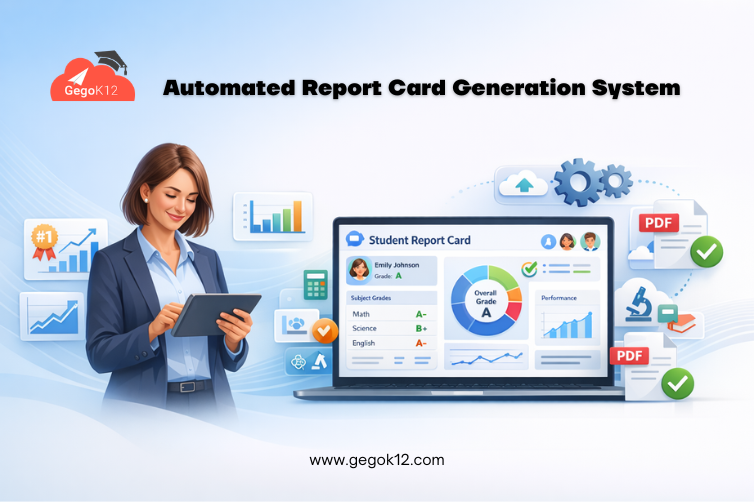
Ask any school principal to identify their most dreaded administrative period, and “report card season” consistently ranks at the top. What should be a straightforward documentation process becomes a multi-week ordeal — collecting marks from subject teachers, manually calculating averages, determining grades, typing student comments, printing hundreds of cards, and organizing distribution. Errors inevitably occur during manual data compilation, requiring time-consuming corrections after parents discover discrepancies.
The stress intensifies when schools serve 500+ students across multiple grades. Teachers spend evenings and weekends completing mark sheets, administrative staff dedicate full weeks to data entry and calculation verification, and printing costs surge as schools produce multiple copies for students, parents, and institutional records. This labor-intensive process consumes 250-400 total staff hours per assessment period while creating frustration across the entire school community.
In 2026, automated report card generation systems have fundamentally transformed this landscape. Schools implementing digital report card platforms report 90% reduction in preparation time, elimination of calculation errors, instant parent access through mobile apps, and professional presentation quality impossible with manual methods. This comprehensive guide explains how modern report card automation works and how GegoK12’s integrated grade management and report card generation modules deliver complete automation without expensive licensing fees.
The Hidden Costs of Manual Report Card Preparation
Time Consumption Breakdown
Subject Teacher Time (50-80 hours total): Each teacher compiles marks for their subjects, calculates subject averages, writes individual student comments, and submits mark sheets to administrators — consuming 8-12 hours per teacher per term.
Administrative Processing (100-150 hours): Staff manually enter marks from teacher submissions, calculate overall averages, determine grades based on institutional scales, identify calculation errors requiring teacher verification, and compile data for report card production.
Report Card Production (60-100 hours): Creating individual report cards through word processing, verifying all data accuracy, arranging printing of hundreds of cards, organizing cards by class for distribution, and managing requests for correction or duplicate copies.
Total Time Investment: 210-330 hours per assessment period, or 840-1,320 hours annually for schools with quarterly assessments. At ₹400/hour average staff cost, this represents ₹168,000-528,000 in annual labor costs for report card preparation alone.
Quality and Accuracy Issues
Manual processes introduce inevitable errors — transcription mistakes during data entry, calculation errors in averaging, grade assignment inconsistencies, and formatting problems affecting readability. Parents discovering errors lose confidence in institutional professionalism while correction workflows consume additional time.
Parent Dissatisfaction
Waiting 2-3 weeks after assessment completion for report cards frustrates parents wanting timely academic feedback. Lost or damaged paper cards require school visits for replacement copies, creating inconvenience for families and additional administrative burden.
GegoK12’s digital report card system eliminates every one of these pain points through automated workflows that compile grades, perform calculations, apply formatting, and distribute results — all within hours of final grade submission.
How Automated Report Card Generation Works
Modern automated report card generation systems operate through integrated workflows connecting grade entry, calculation, formatting, and distribution:
Step 1: Digital Grade Entry
Subject teachers enter marks directly into the digital system — either through web interfaces or mobile apps — eliminating paper mark sheets entirely. The system validates entries against configured mark ranges, flags unusual patterns requiring verification, and maintains complete audit trails showing who entered what grades when.
Grade entry interfaces adapt to assessment types — numerical marks, letter grades, descriptive assessments, skill-based evaluations — accommodating diverse pedagogical approaches without forcing artificial standardization.
Step 2: Automatic Calculation and Grading
Once all subject grades are entered, the system automatically calculates overall averages using configured weighting formulas — some subjects may carry more weight than others based on instructional hours or institutional priorities. These automated calculations eliminate manual arithmetic errors while applying complex formulas consistently across all students.
The system then applies institutional grading scales converting numerical averages to letter grades, descriptive categories, or grade point averages based on configured rules. This automatic grade assignment ensures consistent standards application preventing the subjective variations that occur with manual grading.
Step 3: Ranking and Comparative Analysis
Many schools include class rankings or performance quartile information on report cards. The system automatically calculates rankings across entire classes, sections, or grade levels, handling tied scores appropriately and updating ranks when grade corrections occur.
Comparative statistics — class averages, subject-wise performance distributions, historical comparison to previous terms — generate automatically, providing context helping parents understand their child’s relative performance.
Step 4: Teacher Remark Integration
Beyond numerical grades, report cards include teacher comments providing qualitative feedback about student progress, behavior, strengths, and areas needing attention. Teachers enter remarks directly into the system alongside grade entry, with comment banks allowing quick selection from pre-written statements while maintaining customization options for personalized feedback.
The system compiles remarks from all subject teachers, class teachers, and administrators into comprehensive narrative sections, properly formatted and organized for inclusion in final report cards.
Step 5: Template-Based Report Card Generation
Schools define report card templates once — incorporating institutional branding, required information sections, grade display formats, and layout preferences. The system automatically populates these templates with each student’s grades, calculations, ranks, and remarks, generating professionally formatted PDF documents ready for printing or digital distribution.
Template flexibility accommodates different formats for different grade levels, specialized programs, or assessment types without requiring separate manual processes for each variation.
Step 6: Multi-Channel Distribution
Generated report cards distribute through multiple convenient channels:
Digital Distribution: Reports upload automatically to parent portal applications, with push notifications alerting families that results are available. Parents access, view, download, and save reports indefinitely without depending on physical copies.
Print Production: For schools preferring physical distribution, the system generates print-ready PDFs organized by class, enabling efficient batch printing with minimal administrative effort organizing cards for distribution.
Email Delivery: Automated email sending distributes report card PDFs directly to parent email addresses, ensuring delivery even for families who don’t actively check mobile apps or portals.
This multi-channel approach ensures every family receives results through their preferred method while eliminating the manual distribution coordination that manual processes require.
Essential Features of Effective Report Card Systems
Flexible Grading Scale Configuration
Indian schools operate diverse grading systems — CBSE uses 9-point grading, ICSE assigns percentages, State Boards have varying standards, and international curricula use letter grades. Effective systems support multiple grading scales with easy configuration rather than hard-coded assumptions about how grades work.
GegoK12’s grade management system accommodates any grading methodology through flexible configuration, ensuring compatibility regardless of board affiliation or institutional preference.
Scholastic and Co-Scholastic Assessment
Modern education recognizes multiple dimensions of student development — academic achievement, life skills, sports proficiency, artistic talents, values development. Comprehensive report card systems include sections for both scholastic (academic subject) and co-scholastic (broader developmental) assessments.
Historical Performance Tracking
Parents value seeing performance trends — is their child improving, declining, or maintaining consistent performance? Integrated systems access historical grade data, automatically including previous term comparisons, yearly progress tracking, and multi-year academic trajectories on current report cards.
Customizable Remark Banks
Writing individualized comments for 30-40 students per teacher per term creates significant burden. Quality systems provide extensive comment banks organized by subject and performance level, allowing teachers to select appropriate pre-written remarks while maintaining customization options when unique feedback is needed.
Security and Privacy Controls
Report cards contain highly sensitive student information requiring robust security. Systems must implement role-based access preventing unauthorized viewing, maintain audit trails documenting all access, and encrypt data in transit and storage ensuring privacy compliance with educational data protection regulations.
Integration with Grade Management
Standalone report card tools requiring duplicate grade entry create inefficiency and error risk. Integrated platforms where report card generation pulls directly from existing grade databases eliminate redundant entry while ensuring consistency between ongoing grade tracking and final report card publication.
Implementation Strategy: Going Live with Automated Report Cards
Phase 1: Configure Grading Systems (Week 1)
Define all grading scales used across different grade levels and subjects — percentage ranges for each grade, descriptive categories, pass/fail thresholds, distinction criteria. Configure calculation formulas specifying how subject grades combine into overall averages, whether any subjects receive weighted importance, and how ties in ranking resolve.
Detailed configuration documentation guides this setup process, ensuring accurate implementation matching institutional grading policies.
Phase 2: Design Report Card Templates (Week 2)
Create report card layouts incorporating institutional branding, required information sections, grade display preferences, and comment placement. Test templates with sample data verifying all information displays correctly, fits within print margins, and maintains professional appearance.
Different templates may serve different purposes — detailed parent copies, concise student copies, official transcript formats for external sharing.
Phase 3: Teacher Training on Grade Entry (Week 3)
Train all subject teachers on digital grade entry procedures — accessing the grade entry interface, entering marks for their subjects, writing student remarks, submitting completed grades for processing. Video tutorials provide ongoing reference resources supporting teachers as they adopt new workflows.
Emphasize the time savings teachers gain from direct digital entry compared to manual mark sheet completion followed by administrative re-entry.
Phase 4: Pilot with Single Grade (Week 4)
Before full deployment, conduct pilot testing with one grade level. Teachers enter grades, administrators verify calculation accuracy, generate sample report cards, and gather feedback identifying any configuration adjustments needed before scaling to entire school.
This piloting approach prevents school-wide issues while building staff confidence through successful small-scale implementation.
Phase 5: Full Deployment and Distribution
After successful piloting, deploy across all grade levels. Monitor grade entry progress, assist teachers encountering difficulties, verify calculations, generate final report cards, and distribute through configured channels.
Track time savings, error rates, and parent feedback, documenting success metrics demonstrating implementation value to justify continued investment in digital transformation.
Report Cards for Indian Schools
Board-Specific Grading Compliance
CBSE, ICSE, and State Boards each specify grading requirements, minimum information inclusion, and report card format guidelines. GegoK12’s report card system is designed for Indian educational context — supporting board-specific grading scales, accommodating required information fields, and enabling compliant report card formats without extensive customization.
Multi-Language Report Cards
Schools serving linguistically diverse communities can generate report cards in Hindi, regional languages, or English. This multilingual capability ensures every family receives understandable academic feedback regardless of language preference.
Digital India Alignment
India’s Digital India initiative encourages paperless school operations. Automated digital report card generation and distribution aligns with government digital transformation priorities while eliminating paper costs and environmental impact.
Frequently Asked Questions
Q: Can parents access previous years’ report cards through the system?
A: Yes. GegoK12 maintains complete historical grade records, allowing parents to access any previous report card through their portal accounts. This permanent digital archive eliminates concerns about lost physical cards while enabling long-term academic trend analysis.
Q: How do we handle report card corrections if grades were entered incorrectly?
A: Administrators can make grade corrections at any time. The system automatically recalculates affected averages, updates rankings if needed, regenerates corrected report cards, and notifies parents that updated reports are available — all without manual recalculation or card reproduction.
Q: What happens if teachers forget to enter grades before the deadline?
A: The system tracks grade entry completion status, highlighting missing subject grades and sending automatic reminder notifications to teachers with pending entries. Administrators view comprehensive completion dashboards ensuring all grades submit before report card generation begins.
Q: Can we generate different report card formats for different grade levels?
A: Yes. GegoK12 supports multiple report card templates, assigning appropriate templates to different grade levels, programs, or assessment types. Kindergarten narrative assessments, elementary grade cards, and secondary detailed transcripts each use appropriate formats without manual template switching.
Conclusion: Transform Report Card Preparation Forever
The automated report card generation system represents one of the most impactful school digitization investments — eliminating weeks of manual effort, preventing calculation errors, improving parent satisfaction through instant digital access, and creating professional presentation quality impossible with manual methods.
GegoK12’s comprehensive open-source platform provides complete automated report card capabilities integrated with grade management, student information, and parent communication — free under the MIT license, with professional support available for guided implementation.
Every assessment period using manual report card processes wastes valuable time, introduces errors, and frustrates stakeholders. The path to automated efficiency is more accessible than most schools realize.
Explore GegoK12’s report card features, download the complete platform, review implementation guides, or contact the GegoK12 team to discuss your specific report card requirements and deployment timeline.
Make your next assessment period your last manual report card season. Choose automation. Choose accuracy. Choose GegoK12.