
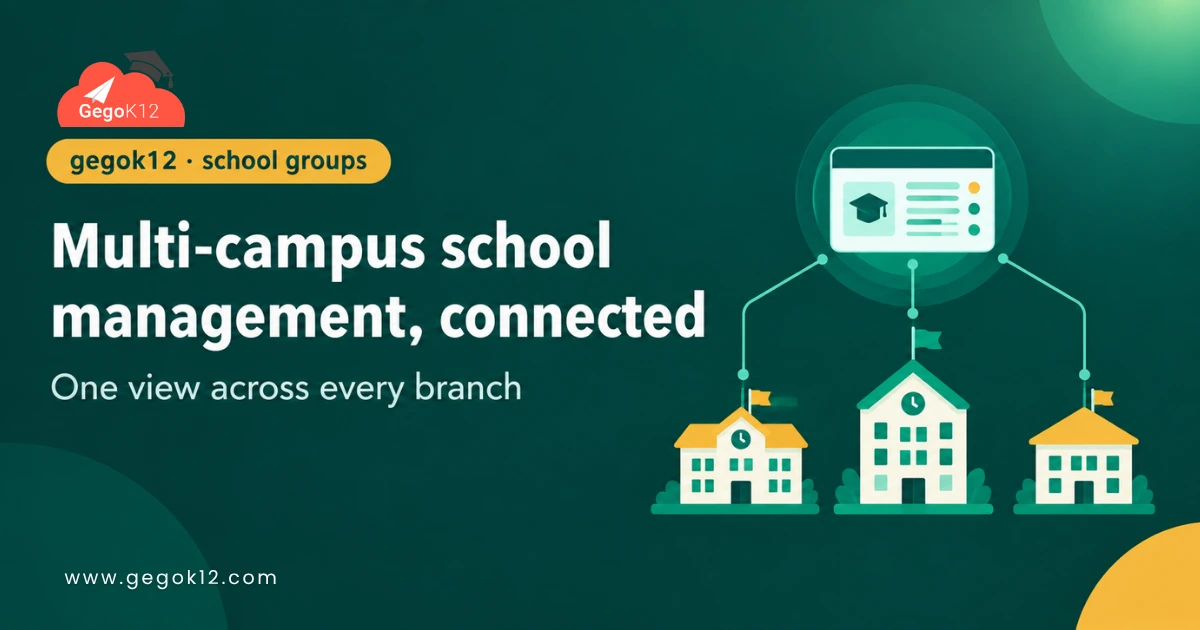
A school group running three, five, or a dozen campuses faces a problem single-site schools never have to think about: keeping every branch on the same standards, while still needing a combined view across all of them. Buying a separate, disconnected system per campus creates exactly the fragmentation a group is trying to avoid. Multi-campus school management software needs to solve for both — consistency at each site, and visibility across all of them together.
This article looks at how a school group can approach this practically with GegoK12, being direct about what’s built in versus what requires some additional setup.
What Does Multi-Campus School Management Actually Require?
For a school group, “multi-campus” software generally needs to support:
- The same core system — attendance, student records, classroom management — running consistently at every campus
- A way to view or report on data across campuses together, not just one branch at a time
- Centralized decision-making for shared policies, like grading structure or the academic calendar
- Reasonable cost scaling as more campuses are added
How well any given tool meets these needs depends heavily on its underlying architecture, so it’s worth being specific about how GegoK12 fits this picture.
How GegoK12 Fits a Multi-Campus Setup
Being direct here matters: GegoK12’s free core is designed as a single-school ERP, deployed and self-hosted independently. It doesn’t ship with a dedicated, built-in “multi-campus mode” out of the box. However, its open-source school ERP architecture still supports a practical path for school groups, through two main approaches.
Option 1: Separate Instances Per Campus, Connected Through the API
Since GegoK12 is built with an API-first design, a school group can run a separate GegoK12 instance at each campus, then build a centralized dashboard that pulls data from each instance’s API into one combined view for group leadership. This keeps each campus’s day-to-day operations independent while still enabling group-wide reporting.
Option 2: A Shared Instance With Campus-Level Segmentation
Depending on how classes and sections are structured within GegoK12, a technically capable IT team may be able to configure a single instance to represent multiple campuses as distinct sets of classes or sections, though this requires careful planning and isn’t a purpose-built feature — it’s an adaptation of the existing structure.
Why This Distinction Matters
Being clear about this upfront avoids a costly mistake: assuming a purpose-built “multi-campus” feature exists, then discovering during setup that the actual approach requires custom API work or careful configuration. Groups planning this seriously should budget technical time for either approach, or discuss options directly with GegoK12 or a qualified developer before committing to a specific setup.
Key Considerations for School Groups
Consistent Academic Structure Across Campuses
Groups generally benefit from aligning academic year setup, grading scales, and core policies across campuses, even when each runs its own instance, since this makes any future centralized reporting far more straightforward to build.
Centralized Reporting Needs Planning
If leadership wants one combined attendance or fee report across all campuses, that reporting layer needs to be built deliberately, using the API, rather than assumed as an automatic feature of running multiple instances.
Cost Scaling Stays Favorable
Since GegoK12’s core remains free regardless of how many campuses deploy it, a school group’s licensing cost doesn’t multiply per campus the way it often does with commercial, per-seat ERP pricing. Technical setup and hosting costs still apply, but the core software license does not.
Staff Training Still Needs to Happen Per Campus
Even with a technically unified approach, each campus’s staff still needs proper onboarding, since a shared architecture doesn’t automatically mean shared familiarity with the system. Groups that stagger rollout — starting with one pilot campus before expanding to others — tend to catch training gaps and configuration issues early, rather than discovering them simultaneously across every location at once.
A Quick Real-World Scenario
Picture a school group with four campuses, each previously running its own separate spreadsheet-based system with no way to compare performance across branches. Leadership wants a single dashboard showing enrollment and attendance trends across all four locations.
Using GegoK12’s API-first architecture, a developer builds a lightweight centralized dashboard that pulls data from each campus’s individual GegoK12 instance. Each campus continues operating independently day-to-day, while leadership finally gets the combined view they needed. That’s a realistic picture of multi-campus school management software built around GegoK12 — not a single built-in toggle, but a genuinely achievable outcome with the right setup.
How to Get Started
- See the core system first. Request the free school ERP demo to understand what a single-campus deployment looks like before planning a multi-campus approach.
- Review the API-first architecture. The GegoK12 source code on GitHub shows how the underlying system is structured for integration work like cross-campus reporting.
- Plan technical resourcing early. Since multi-campus reporting isn’t a built-in feature, budgeting for developer time — in-house or through GegoK12’s paid support — should happen before rollout, not after.
FAQs
Does GegoK12 have a built-in multi-campus feature?
Not as a dedicated, purpose-built feature in the free core. School groups typically achieve this through separate instances connected via the API, or careful configuration of a shared instance.
Does running multiple campuses mean paying multiple license fees?
No — the core remains free regardless of campus count, since it’s open source. Hosting and technical setup costs still apply per instance, however.
Can each campus have different premium modules enabled?
Yes, in principle, since each campus instance can be configured independently, including which premium modules it uses if any.
Is this approach realistic for a group without in-house technical staff?
It’s more challenging without technical resources. Groups in this position should strongly consider GegoK12’s paid support plan or a qualified developer to handle the setup and any centralized reporting work.
How does data privacy work if each campus runs its own instance?
Each instance manages its own data independently, so a campus’s student records stay within that instance unless explicitly shared through the centralized reporting layer a group chooses to build. This gives groups reasonable control over exactly what data flows upward to leadership versus what stays local to each campus.
The Bigger Picture
Multi-campus school groups need consistency and visibility at the same time, and no software solves that automatically without some deliberate setup. GegoK12’s free, API-first core gives groups a genuinely cost-effective foundation to build that on, provided the technical planning happens upfront rather than being assumed away.
Groups exploring this seriously can start with the free school ERP demo or review the API-first architecture directly on GitHub.