
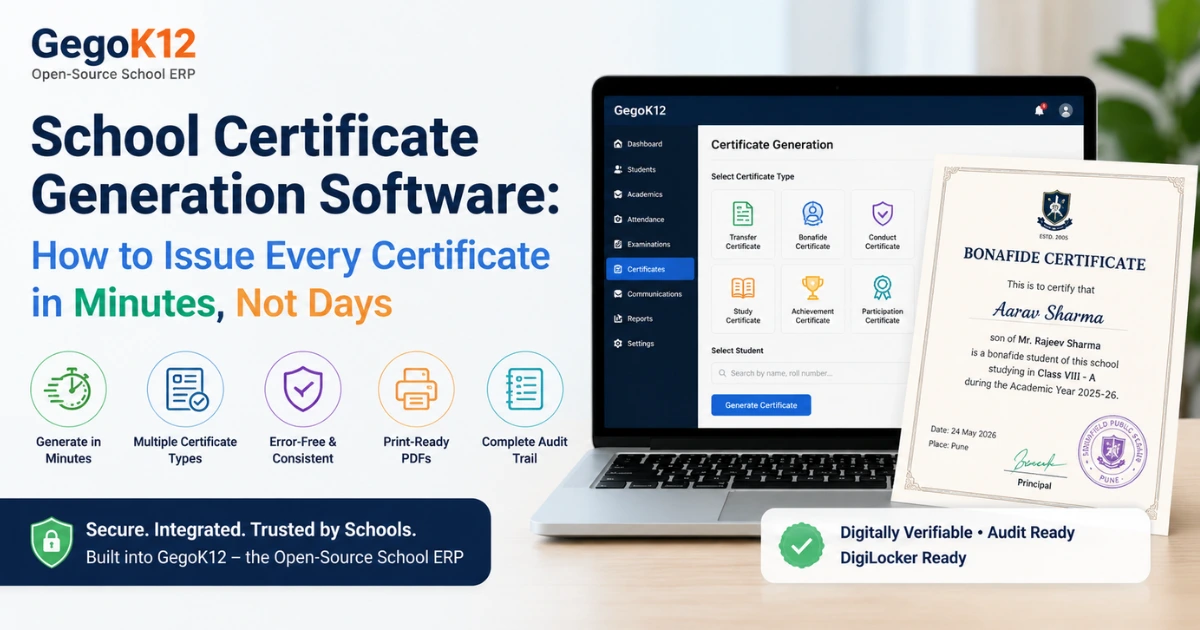
School certificate generation software is a digital system that allows schools to create, customise, and issue official certificates — including transfer certificates, bonafide certificates, achievement certificates, and conduct certificates — directly from student records stored in the school ERP. It eliminates manual typing errors, reduces processing time from days to minutes, and produces print-ready or digitally shareable documents with consistent formatting every time.
The Certificate Bottleneck Every School Administrator Knows
A parent walks into the school office needing a bonafide certificate for their child’s bank account. A student requests a transfer certificate for admission to another institution. A class teacher needs to print achievement certificates for 45 students before the annual day function next week.
In most Indian schools, each of these requests triggers the same slow, error-prone process: locate the student’s physical file, manually type their details into a certificate template in Word or an older software, get it signed by the principal, stamp it, and hand it over — hoping no spelling errors slip through.
For a busy school handling hundreds of certificate requests across an academic year, this manual workflow consumes dozens of administrative hours, creates inconsistent formatting across certificate types, and regularly produces errors that require certificates to be reprinted and re-signed.
School certificate generation software solves all three problems simultaneously — and when built into a school ERP, it does so without any additional data entry at all.
What School Certificate Generation Software Does
At its core, school certificate generation software connects to the student records already maintained in the school management system and uses that data to auto-populate certificate templates instantly.
The key functions it performs:
Auto-population from student records. The system pulls the student’s name, class, section, roll number, date of birth, date of admission, parent names, and academic history directly from their profile — eliminating manual data entry and the errors that come with it.
Multiple certificate types from one platform. A single system handles the full range of documents schools issue: transfer certificates (TC), bonafide certificates, study certificates, conduct certificates, achievement and merit certificates, participation certificates, and character certificates — each with its own template and required fields.
Customisable templates with school branding. Certificate layouts include the school’s name, logo, address, and authorised signature fields. Once configured, every certificate issued maintains consistent, professional formatting — whether it is the first certificate of the year or the five hundredth.
Instant generation and print-ready output. Once a certificate request is approved, the document is generated in PDF format within seconds, ready to print or share digitally with parents through the parent portal or mobile app.
Certificate registry and audit trail. Every certificate issued is logged with the date, the staff member who generated it, the student it was issued for, and the certificate number — creating a complete issuance history that is invaluable during audits, inspections, or when a parent queries a previously issued document.
Why This Matters More Than Ever in 2026
Three converging trends are making school certificate generation software a priority for Indian schools in 2026.
DigiLocker integration is becoming mainstream. India’s DigiLocker platform now allows schools to issue digitally verifiable documents that students can store and share permanently. Schools that can generate structured, verifiable certificates are better positioned to integrate with this national infrastructure — adding a layer of authenticity that paper certificates cannot provide.
Transfer certificate compliance is under scrutiny. State education boards across India have tightened requirements around TC issuance — mandating specific formats, mandatory fields, and timely processing. Schools still using manual TC workflows face compliance risk when inspection teams review issuance records and find inconsistencies or missing data.
Annual day and event certificate volumes are increasing. As schools expand their extracurricular programmes in line with NEP 2020’s holistic education framework, the volume of participation, achievement, and merit certificates issued per academic year has grown significantly. Printing 200 customised certificates manually for a single event is no longer practical.
GegoK12’s Certificate Generation Module: Built Into Your School ERP
GegoK12’s open-source school management platform includes a Certificate Generation module that is fully integrated with the student database, academic records, and administrative workflows already running on the platform.
Because GegoK12 operates on a self-hosted model, every certificate generated — and every record of its issuance — stays on your school’s own server. No student data passes through a third-party system, and no external service is required to produce official school documents.
What the GegoK12 certificate module delivers:
All standard Indian school certificates. The module supports transfer certificates, bonafide certificates, study certificates, conduct certificates, and customisable achievement certificates — covering the full range of documents a school issues across a typical academic year.
One-click generation from student profiles. With the student’s data already in GegoK12’s student information management system, generating a certificate requires selecting the student, choosing the certificate type, and clicking generate. The system fills every required field automatically.
School-branded templates. Templates are configured once with the school’s official formatting — letterhead, logo, principal signature block, and board-specific required fields. Every certificate produced maintains that formatting without staff needing to manage document design.
Numbered certificate registry. Each certificate is assigned a unique number and logged in the system with full issuance details. When a parent queries whether their child’s TC was issued or requests a duplicate, the answer is available instantly from the registry — with no physical file search required.
Batch certificate generation for events. For annual days, sports meets, science fairs, or any event requiring multiple certificates, the system generates the full batch in a single operation. A teacher inputs the list of recipients, selects the template, and the system produces print-ready PDFs for all of them simultaneously.
Setting Up Certificate Generation with GegoK12
Schools already running GegoK12 can activate the certificate module with minimal configuration. For schools setting up GegoK12 for the first time, the complete platform — including the certificate module — is available at no cost from GegoK12’s GitHub repository.
Step 1 — Configure certificate templates. Work with the school’s branding assets to set up the standard templates for each certificate type. The GegoK12 documentation provides step-by-step guidance on template configuration.
Step 2 — Verify student data completeness. Since the certificate module pulls from the student database, ensuring that student records are complete and accurate before beginning certificate generation eliminates errors at the source. Any gaps in student data are identified quickly during this step.
Step 3 — Set up the approval workflow. Configure which staff roles can request certificates and which roles — typically the principal or vice-principal — must approve issuance before a certificate is generated. This maintains institutional control without creating bottlenecks.
Step 4 — Begin issuing. From this point, certificate generation is a matter of seconds per document. The GegoK12 video tutorial library includes walkthroughs of the certificate module for staff training.
For any questions during setup, the GegoK12 support team is available to assist.
The Operational Impact: What Schools Gain
Time savings of 80–90% per certificate. A certificate that previously required 15–20 minutes of manual work — locating files, typing, checking, printing, re-printing — is produced in under 60 seconds when student data is already in the system.
Error rate drops to near zero. Auto-population from verified student records eliminates the transcription errors that are the most common cause of certificate reprints. Spelling mistakes, wrong dates of birth, and incorrect class records become historical problems rather than ongoing ones.
Compliance confidence during inspections. With a complete, numbered issuance registry and standardised formats aligned to board requirements, schools can produce a full certificate audit trail on request — without scrambling through physical registers.
Parent satisfaction improves visibly. When a parent requesting a bonafide certificate receives it within minutes of making the request, rather than returning the next day, the school’s administrative reputation improves immediately and tangibly.
Frequently Asked Questions
Can the certificate generation module handle board-specific TC formats?
Yes. GegoK12’s certificate templates are fully customisable, allowing schools to configure formats that match CBSE, ICSE, or State Board transfer certificate requirements specific to their state and board affiliation.
Is there a limit to how many certificates can be generated?
No. As a self-hosted open-source platform, GegoK12 imposes no limits on certificate volume. Schools can issue as many certificates as needed without any per-document charges or subscription tier restrictions.
Can certificates be sent to parents digitally?
Yes. Generated certificates in PDF format can be shared directly through GegoK12’s parent communication features, including the parent mobile app, email, or SMS notification — allowing contactless delivery when physical collection is not possible.
How does the certificate registry help during board inspections?
The registry provides a complete log of every certificate issued — numbered sequentially, dated, and linked to the student’s profile. Inspecting authorities can verify any certificate’s authenticity and issuance date instantly from this record, demonstrating institutional compliance and record-keeping discipline.
Conclusion
School certificate generation software transforms one of the most time-consuming administrative tasks in school management into a fast, accurate, and fully auditable process. When integrated into a complete school ERP, it draws directly from verified student records — eliminating manual data entry, formatting inconsistencies, and the compliance risk that comes with unstructured certificate issuance.
GegoK12 delivers this capability as part of its free, MIT-licensed open-source school management platform — with no per-certificate charges, no external service dependencies, and complete data ownership for your institution.
Explore GegoK12’s complete open-source school ERP to see how certificate generation connects with the broader platform, or download directly from GitHub to begin setup today. For deployment support, the GegoK12 team is ready to help.
Every certificate your school issues is a formal representation of your institution. School certificate generation software ensures each one is accurate, professional, and produced in minutes.