
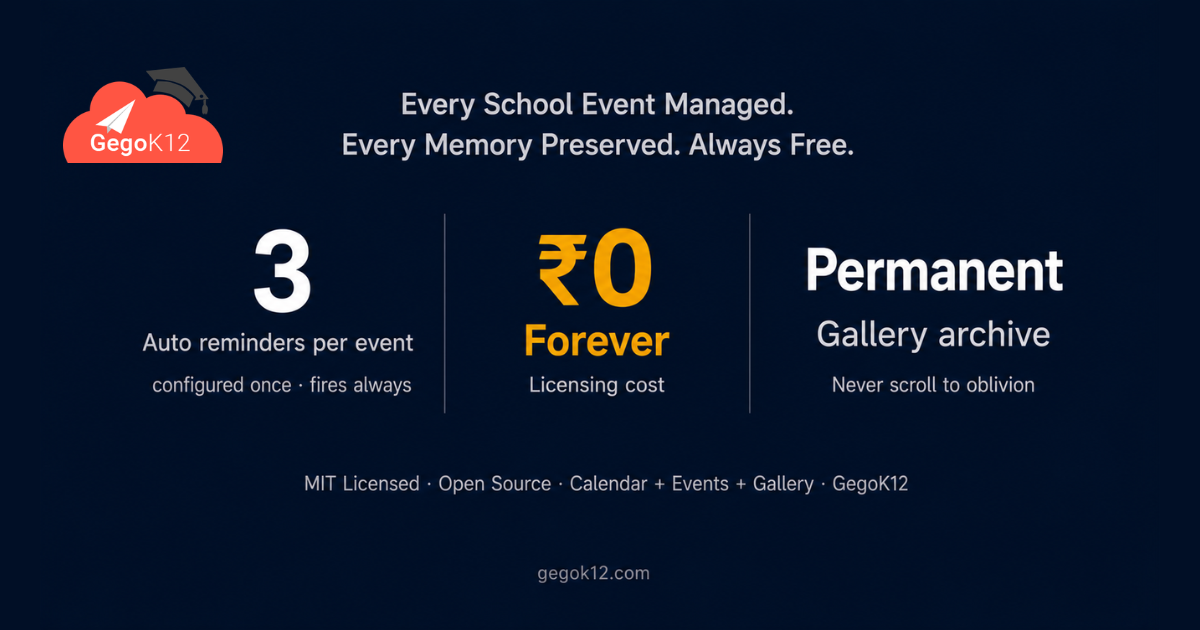
The best free school event management system in 2026 is GegoK12’s Calendar, Event & Gallery Module — a 100% free, open-source event planning and communication platform built into the GegoK12 school ERP. Schools use it to schedule events on a unified digital calendar, automatically notify all stakeholders through push notifications, prevent scheduling clashes with timetable and academic integration, engage parents through real-time event updates, and preserve school memories in a permanent, community-accessible digital gallery — at zero licensing cost.
The Problem With How Schools Manage Events in 2026
School events are not logistical challenges — they are community-defining moments. However, most Indian schools in 2026 still manage these moments with tools designed for individual productivity rather than institutional communication.
The science fair notice goes out on a Tuesday in a WhatsApp broadcast. Some parents see it. Others miss it. A week later, a reminder goes out on paper through the student’s bag — arriving home crumpled and unread on Friday evening. Meanwhile, the sports day clashes with a unit test that the class teacher scheduled independently, because nobody shared a unified calendar. Furthermore, the Annual Day photos — 340 beautiful photographs taken by three teachers on their personal phones — are shared in a parent group, saved to personal devices, and forgotten within a fortnight.
In 2026, this scenario repeats itself in schools across the country. Moreover, it represents a failure not of effort, but of systems. School administrators work hard to create meaningful events. What they lack is a platform that makes those events visible, accessible, and memorable — from the first planning decision to the final archival of memories.
GegoK12’s Calendar, Event & Gallery Module provides exactly that platform. Consequently, this guide follows the complete lifecycle of a school’s Annual Day — from planning meeting to permanent gallery — to show precisely how the module transforms the experience.
Week 8 Before Annual Day — The Planning Stage: Putting the Event on the Unified School Calendar
Eight weeks before Annual Day, the school’s event coordinator opens GegoK12’s event management dashboard. She creates a new event: “Annual Day 2026” — setting the date, venue, time, and description. Furthermore, she classifies it as a school-wide event, meaning it will appear on every stakeholder’s calendar regardless of class or section.
Before publishing, GegoK12 automatically runs a clash check — comparing the Annual Day date against every other event already on the school calendar and against the academic schedule managed through GegoK12’s free modules. The system flags no conflicts. Consequently, the event publishes to the unified school calendar immediately.
Within seconds of publication, every teacher, administrator, and parent with the school’s app receives a notification: “Annual Day 2026 has been scheduled for Friday, 14th March. Details are now live on the school calendar.”
No circular letter. No WhatsApp broadcast. No paper notice. One action from the event coordinator reaches every stakeholder simultaneously — accurately, instantly, and with full event details accessible at any time through the app.
📅 Feature in Focus: The Unified Digital School Calendar
GegoK12’s centralised calendar gives every school stakeholder a single, always-current view of every event, holiday, exam period, and activity throughout the academic year. Specifically:
- Administrators see the full school schedule with all events, academic milestones, and operational commitments
- Teachers see their class-relevant events alongside their lesson planning periods
- Parents see their child’s class-specific events alongside whole-school activities
- Students access upcoming events through their dashboard
Moreover, the calendar integrates directly with GegoK12’s free modules — ensuring that events never clash with attendance marking periods, library examination holds, or facility bookings managed through the Facilities Management module.
Week 5 Before Annual Day — Driving Participation: Automated Multi-Level Reminders
Five weeks before the event, participation registration opens. However, many schools find that early announcements generate initial enthusiasm that fades as the event draws nearer — parents forget, students lose interest, and participation numbers fall below expectation.
GegoK12 addresses this directly through its automated multi-level reminder system. The event coordinator configures three automatic reminders at the point of event creation:
- Reminder 1 — sent 14 days before the event: “Annual Day 2026 — only two weeks away! Register your child’s participation by March 10th.”
- Reminder 2 — sent 7 days before: “One week until Annual Day! Check the event details and confirm your attendance.”
- Reminder 3 — sent 24 hours before: “Annual Day 2026 is tomorrow! See you at 5:00 PM in the school auditorium.”
Each reminder goes automatically through the SMS / Push Notification module to every parent and student associated with the event. Furthermore, the coordinator configures no additional tasks after initial setup — the system sends every reminder on schedule without human intervention.
As a result, parent participation rates for GegoK12-managed events consistently exceed those of schools using manual reminder systems. Specifically, the combination of digital calendar visibility and automated progressive reminders keeps events in parents’ awareness from announcement through execution.
🔔 Feature in Focus: Automated Multi-Level Notification System
GegoK12’s event notification system works at multiple levels simultaneously:
- School-wide events — notifications reach every parent, student, and teacher in the institution
- Class-specific events — notifications target only the relevant class’s parents and students
- Role-specific updates — teacher-facing coordination notices reach only staff
- Progressive reminders — multiple touchpoints configured once, delivered automatically
Additionally, all notifications connect to the event’s full details in the app — meaning parents who receive a reminder can tap through to view the event description, venue, time, and any uploaded documents without contacting the school office.
Week 2 Before Annual Day — Coordination: Class-Level Event Integration
Two weeks before Annual Day, the Class 6 form teacher creates a class-specific rehearsal event and publishes it to the Class 6 calendar. She configures it as a class-level event — meaning only Class 6 parents and students receive the notification.
Meanwhile, the sports coordinator adds the student performance schedule as an event document — attaching the running order PDF directly to the Annual Day event in GegoK12. Consequently, every parent accessing the event through their app can download the schedule without calling the school office.
Furthermore, the event coordinator checks the school calendar to confirm that no other classes have tests or special activities scheduled on the rehearsal days. The unified view prevents the coordination failures that arise when different teachers schedule activities independently.
This integration also connects to the Attendance Management module — teachers mark rehearsal attendance through the standard digital system rather than creating a separate process. As a result, student participation records for Annual Day form part of their complete academic attendance history.
Annual Day — The Event Itself: Real-Time Updates and Photo Collection
On the evening of Annual Day, three teachers carry school tablets and systematically photograph every performance, award presentation, and memorable moment. Moreover, one dedicated administrator manages the live photo upload directly into GegoK12’s gallery management dashboard — creating a real-time event record that parents watching from the auditorium can see appearing on the school’s digital gallery as the event unfolds.
Furthermore, the system allows the event coordinator to publish a brief update mid-event: “Annual Day 2026 is underway — photos are being uploaded to the school gallery now.” Parents who cannot attend in person receive this notification and open the gallery on their phones — watching the event unfold through an organised, school-curated digital feed rather than relying on secondhand WhatsApp shares.
Critically, every photograph uploads directly to GegoK12’s secure cloud gallery — not to a personal Google Drive, not to a teacher’s phone, not to a WhatsApp group that will scroll into oblivion within three days. The school owns the memory. The community can access it permanently.
📸 Feature in Focus: Digital Photo and Video Gallery
GegoK12’s gallery module transforms how schools preserve and share event memories. Specifically, the platform enables:
- Category-organised galleries — separate albums for Annual Day, Sports Meet, Science Fair, Cultural Events, and Graduation
- Controlled upload access — only designated staff members upload photos; quality and appropriateness are school-curated
- Permanent digital archive — event galleries remain accessible indefinitely, building a rich institutional visual history
- Mobile app access — every parent and student views galleries through the school app; no external platform accounts required
- Video integration — schools upload event highlight videos alongside photographs for complete event documentation
Moreover, the gallery serves a strategic purpose beyond memory preservation. In 2026, prospective parents researching schools increasingly review event galleries before making admission decisions. A well-maintained, regularly updated school gallery communicates vibrancy, culture, and institutional pride more effectively than any admission brochure.
Week 2 After Annual Day — The Follow-Through: Engagement That Lasts Beyond the Event
Two weeks after Annual Day, the event coordinator publishes the complete photograph collection — 247 images — to the Annual Day 2026 gallery in GegoK12. Simultaneously, every parent receives a push notification: “The Annual Day 2026 photo gallery is now live — relive the memories in your school app.”
This notification generates the highest app engagement of the entire school year. Parents share gallery links with family members. Students browse the collection with their classmates. Several parents send messages to teachers through the school’s communication channels expressing appreciation for the quality of the documentation.
Furthermore, three months later, when a prospective parent visits the school for an admission inquiry, the admission officer opens the Annual Day gallery on a tablet and walks the visitor through the event — showcasing the school’s cultural life, parent engagement, and event quality through 247 organised photographs rather than verbal description.
In 2026, school events do not end when the auditorium lights go off. They continue living in the gallery, in the calendar archive, and in the institutional memory that GegoK12 builds year by year.
The Annual School Calendar: Beyond Individual Events
While Annual Day illustrates the module’s capabilities vividly, GegoK12’s Calendar, Event & Gallery module manages the complete annual calendar for every school. This includes:
Academic Milestones — term start and end dates, examination periods, result days, and school holidays — all visible to every stakeholder and integrated with the academic modules to prevent scheduling conflicts.
Parent-Teacher Meetings — PTM scheduling through the calendar ensures every parent receives advance notice, confirmation reminders, and post-meeting updates through the notification system.
Sports and Co-Curricular Events — inter-school competitions, sports days, cultural festivals, and club activities all appear on the unified calendar with appropriate stakeholder targeting.
Administrative Events — board meetings, staff development days, inspection visits, and institutional events managed at the administrator level without appearing on parent-facing calendars.
Religious and Cultural Observances — school-specific cultural events and holidays added to the calendar with automatic holiday notification to all stakeholders.
Additionally, teachers use the calendar to align their lesson plans against upcoming events — ensuring that curriculum pacing accounts for event days, school holidays, and examination periods from the start of each term.
How the Calendar, Event & Gallery Module Connects to GegoK12’s Free Ecosystem
| Module | Integration With Events |
|---|---|
| Classroom Management | Class-specific events published to the relevant class calendar automatically |
| Attendance Management | Event day attendance tracked through the standard digital system |
| Student Information Management | Student participation records linked to profiles for holistic academic reporting |
| Lesson Plan | Teachers align curriculum pacing with event calendar to avoid coverage gaps |
| Library Management | Library events and reading drives published to the school calendar |
| SMS / Push Notifications | All event notifications delivered through the integrated push notification system |
| Emergency Notification | Emergency cancellations or venue changes communicated instantly to all stakeholders |
| Leave & Payroll Management | School holidays and event days reflected in staff attendance and leave records |
| Facilities Management | Venue bookings for events coordinated through the facilities management module |
| Reception Module | Front desk access to the school event calendar for instant visitor and parent query resolution |
Who Benefits Most — and How
School Principals and Management gain a transparent, real-time view of everything happening in their institution — academic and co-curricular — on one unified calendar. Furthermore, the gallery builds a compelling institutional narrative that supports admission marketing, accreditation documentation, and community engagement.
Event Coordinators and Activity Teachers save enormous administrative time through automated reminders and push notifications. Specifically, the difference between manually broadcasting every event update and configuring one automated reminder sequence represents dozens of hours saved every term.
Parents experience a fundamentally different relationship with their school’s event life. In 2026, parents who receive timely digital reminders, access complete event details through an app, and relive moments through a permanent gallery feel more connected to their child’s school than those who rely on paper circulars and WhatsApp forwards.
Students benefit from visible recognition. When their achievements appear in a school-managed, community-accessible gallery — rather than scattered across personal devices — the recognition feels more meaningful and more permanent.
IT Teams and Developers access the complete module through the GegoK12 open-source GitHub repository — enabling custom event types, advanced gallery features, or integration with school websites and social media channels.
GegoK12 Event Management vs. Current School Approaches in 2026
| Factor | GegoK12 (Free) | WhatsApp Broadcasts | Paper Circulars | Standalone Event Apps |
|---|---|---|---|---|
| Cost | ✅ ₹0 | ✅ ₹0 But Chaotic | ✅ ₹0 But Slow | ❌ ₹5K–₹50K/year |
| Unified School Calendar | ✅ Yes | ❌ No | ❌ No | ✅ Partial |
| Clash-Free Scheduling | ✅ Auto-Checked | ❌ No | ❌ No | ❌ Rarely |
| Automated Progressive Reminders | ✅ Yes | ❌ Manual | ❌ No | ✅ Sometimes |
| Class-Targeted Notifications | ✅ Yes | ❌ Broadcast Only | ❌ No | ❌ Rarely |
| Permanent Digital Gallery | ✅ Yes | ❌ Scroll & Forget | ❌ No | ✅ Partial |
| School-Controlled Media | ✅ Yes | ❌ No | ❌ No | ✅ Partial |
| ERP Integration | ✅ Fully Integrated | ❌ None | ❌ None | ❌ None |
| Parent App Access | ✅ Yes | ✅ Personal Phone | ❌ No | ✅ Separate App |
| Open Source & Customisable | ✅ Yes | ❌ No | ❌ No | ❌ No |
Getting Started: Your Event Management Setup Guide for 2026
Step 1 — Get the open-source platform. Download or fork the GegoK12 GitHub repository. MIT licensed — free to deploy and self-host with no recurring costs.
Step 2 — Read the configuration guide. The official GegoK12 documentation walks through event module setup — including calendar configuration, notification schedule settings, gallery permissions, and role-based access for event creation.
Step 3 — Watch the event module tutorial. The GegoK12 YouTube tutorial playlist includes a dedicated walkthrough of the Calendar, Event & Gallery module — covering event creation, reminder configuration, and gallery management from start to finish.
Step 4 — Book a live demo. Schedule a free demo session with the GegoK12 school tech advisors. Watch the event creation process, an automated reminder firing, and the gallery upload workflow live — configured for your school’s event calendar.
Step 5 — Populate your annual calendar. Begin by adding your school’s fixed annual events — Annual Day, Sports Meet, PTM dates, examination periods, and school holidays. From Day 1, every stakeholder has access to the complete school year calendar on their phone.
Frequently Asked Questions
Q: What is the best free school event management system in 2026?
GegoK12’s Calendar, Event & Gallery Module is the leading free option for K-12 schools in 2026. It provides a unified digital school calendar, automated multi-level reminders, clash-free scheduling, class-targeted notifications, and a permanent digital gallery — fully integrated with the school ERP at zero licensing cost.
Q: Can parents access the school gallery and events from their phones?
Yes. The GegoK12 parent app gives every parent direct access to the school event calendar, event details, upcoming reminders, and the complete digital photo gallery — from any device, at any time.
Q: Does GegoK12 automatically prevent event scheduling clashes?
Yes. When an administrator schedules a new event, the system automatically checks it against existing calendar entries and academic schedules — flagging potential clashes before the event publishes.
Q: Can class teachers create their own class-level events?
Yes. With appropriate role permissions, class teachers create class-specific events — such as rehearsals, reading days, or field trip preparation activities — that appear only on their class calendar rather than broadcasting school-wide.
Q: How long do event photos remain in the GegoK12 gallery?
GegoK12 stores gallery content permanently on the school’s own server (for self-hosted deployments). Events and their associated media remain accessible indefinitely — building a multi-year archive of the school’s community life.
Q: Is this module really free with no hidden costs?
Yes. The Calendar, Event & Gallery module is part of GegoK12’s free, open-source core platform — released under the MIT licence with no licensing fees, subscription charges, or per-event costs.
Every School Event Deserves to Be Planned Well, Communicated Clearly, and Remembered Permanently
School events are not administrative tasks. They are the moments that define a school’s culture, build its community, and create the memories that students carry for a lifetime.
GegoK12’s Calendar, Event & Gallery Module treats every event with that significance — giving it a place on a unified school calendar, a communication channel that reaches every stakeholder automatically, a clash-free schedule that protects both the event and the academic programme, and a permanent gallery that preserves the memory long after the auditorium returns to a classroom.
It is completely free. It is open source. Furthermore, it builds the community-facing dimension of your school’s digital presence — connecting parents, students, teachers, and administrators through every shared moment of the school year.
In 2026, every school event deserves better than a WhatsApp broadcast and a forgotten photo folder on someone’s phone. GegoK12 makes that better experience the default — at zero cost.
🚀 Put Every School Event on the Map — Starting Today
| What You Need | Where to Go |
|---|---|
| 📂 Free open-source code | GegoK12 on GitHub |
| 📖 Event setup guide | Official Documentation |
| 🎥 Calendar & gallery tutorial | GegoK12 YouTube Playlist |
| 🖥️ Explore the full free ERP | Free Open Source School ERP |
| 🎓 Live event demo session | Book Your Free Demo Session |