
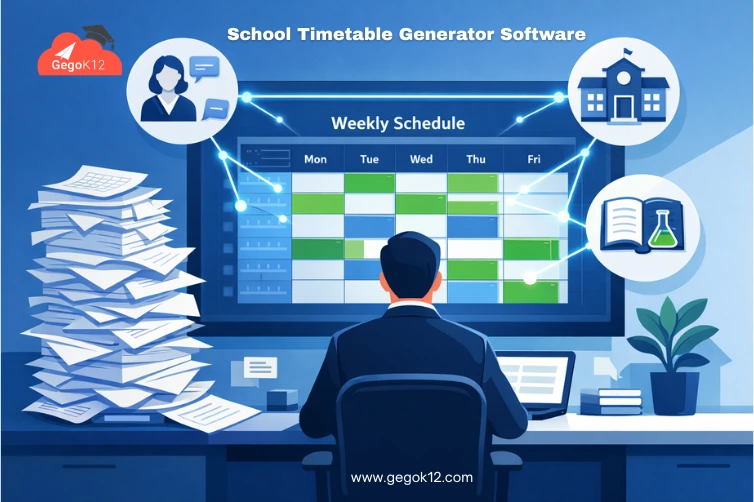
Ask any school principal or academic coordinator about their most dreaded administrative task, and “creating the school timetable” consistently tops the list. What should be a straightforward scheduling exercise becomes a weeks-long puzzle involving hundreds of constraints — teacher availability, room capacity, subject requirements, laboratory access, teacher workload limits, and the dreaded “no teacher should have more than 3 consecutive periods” rule. One change cascades into dozens of conflicts requiring hours of manual adjustments.
In 2026, school timetable generator software has evolved from a luxury for large institutions to an essential tool for schools of every size. The latest generation of timetabling solutions doesn’t just digitize manual processes — they apply intelligent algorithms that evaluate thousands of schedule permutations per second, automatically detecting and resolving conflicts while optimizing for educational quality factors that humans struggle to balance simultaneously.
Schools implementing automated timetable generation report 90% reduction in scheduling time, near-zero conflicts requiring manual resolution, and significantly improved teacher workload distribution compared to manual methods. This guide explains exactly how modern timetable generator software works, what features distinguish effective solutions from basic tools, and how GegoK12’s free open-source timetable module delivers enterprise-grade scheduling capabilities without licensing costs.
The Hidden Complexity Behind School Timetables
To understand why school timetable generator software provides such dramatic value, we must first acknowledge the genuine complexity that manual timetabling confronts:
Hard Constraints That Cannot Be Violated
Teacher Availability: Teachers cannot be in two places simultaneously. The timetable must respect teacher assignment limits, ensure break periods, and accommodate part-time staff schedules.
Room Capacity and Specialization: Science classes require laboratories, computer classes need computer labs, and all classes must fit within available room capacity. Specialized room availability creates significant scheduling constraints.
Subject Requirements: Each class must receive the required number of periods for each subject per week. CBSE/ICSE/State Board mandates specify minimum instructional hours that schedules must satisfy.
Student Group Management: When sections are combined for certain subjects or divided for practical sessions, the timetable must accommodate these grouping variations without creating conflicts.
Soft Constraints That Improve Quality
Beyond absolute requirements, good timetables optimize for quality factors that improve educational outcomes:
- Avoiding scheduling difficult subjects during post-lunch drowsiness periods
- Distributing subjects evenly throughout the week rather than clustering
- Preventing teachers from having excessive consecutive periods without breaks
- Balancing early morning and late afternoon slot distribution across subjects
- Minimizing teacher transitions between buildings or floors
Manual timetabling struggles with soft constraint optimization because each manual adjustment potentially impacts dozens of other schedule slots. Automated software evaluates these trade-offs instantaneously across the entire schedule.
How School Timetable Generator Software Actually Works
Modern school timetable generator software employs sophisticated algorithms — typically constraint satisfaction or genetic algorithms — that approach timetable creation fundamentally differently than humans do:
Step 1: Data Input and Constraint Definition
The process begins by inputting all scheduling parameters:
- Teacher list with subject specializations and weekly availability
- Subject list with required periods per week per class
- Room inventory with capacity and specialization details
- Class sections with student counts
- Special requirements (lab sessions, combined sections, etc.)
GegoK12’s comprehensive school management platform maintains all this foundational data in integrated modules — teacher management, classroom management, subject definitions — eliminating duplicate data entry specifically for timetabling.
Step 2: Automated Schedule Generation
The software algorithms evaluate millions of possible schedule configurations, testing each against defined constraints. Valid configurations that satisfy all hard constraints become candidates. The system then optimizes these candidates based on soft constraints, scoring each schedule configuration by how well it balances educational quality factors.
This process happens in minutes rather than the days or weeks manual timetabling requires. The software identifies optimal solutions humans would never discover through trial and error.
Step 3: Conflict Detection and Resolution
Even sophisticated algorithms occasionally produce minor conflicts when constraint combinations prove particularly challenging. Quality timetable generators clearly highlight these conflicts — showing exactly which constraints conflict and why — enabling quick manual resolution.
GegoK12’s timetable generator provides visual conflict indicators, one-click constraint relaxation for problematic slots, and “what-if” testing allowing administrators to evaluate impacts before committing schedule changes.
Step 4: Distribution and Real-Time Updates
Once finalized, the schedule distributes automatically to all stakeholders. Teachers access their individual timetables through web portals or mobile apps, students see class schedules, and parents view their child’s weekly routine — all synchronized instantly when changes occur.
Unlike paper timetables becoming obsolete with each modification, digital schedules maintained through GegoK12’s timetable management system remain current automatically. Teacher substitutions, room changes, or emergency adjustments propagate instantly to everyone affected.
Essential Features of Effective Timetable Generator Software
Intelligent Constraint Handling
The software should understand and enforce Indian educational context — CBSE/ICSE/State Board requirements, typical school day structures, regional academic calendar patterns. Generic international software requires extensive customization, while purpose-built solutions like GegoK12 accommodate Indian school needs natively.
Multiple Schedule Scenario Support
Schools often need to generate multiple schedule variations — regular schedule, exam schedule, activity day schedule, shortened day schedule. Effective software allows saving and switching between multiple schedule configurations rather than recreating from scratch for each variation.
Teacher Workload Balancing
Beyond simple period counting, sophisticated timetable generators analyze teacher workload quality — avoiding excessive consecutive periods, ensuring reasonable distribution throughout the day, respecting preparation period requirements, and flagging imbalanced workload distributions requiring attention.
Room Optimization
The software should maximize facility utilization by efficiently allocating classrooms, laboratories, and specialized spaces while minimizing unnecessary teacher transitions between locations. This optimization reduces campus congestion while improving operational efficiency.
Flexible Constraint Configuration
Every school has unique requirements. Effective timetable generators allow administrators to define custom constraints reflecting institutional policies — maximum consecutive teaching periods, preferred subject timing, teacher-specific availability restrictions, and building-specific considerations.
Integration With School Operations
Standalone timetabling tools create data silos requiring duplicate maintenance. Integrated platforms automatically pull teacher assignments from HR modules, subject definitions from academic management, and room information from facilities management — ensuring consistency while eliminating redundant data entry.
GegoK12’s modular architecture provides this natural integration across all school operations, with the timetable module accessing shared data maintained in connected modules.
Implementation Guide: Deploying Your Timetable Generator
Phase 1: Data Preparation (Week 1)
Success depends entirely on data quality. Begin by auditing and cleaning:
Teacher Data: Verify all teaching staff are registered with accurate subject specializations, full-time/part-time status, and any availability restrictions.
Subject Definitions: Ensure all subjects are defined with correct period requirements per week, laboratory/special room needs, and grade-level assignments.
Room Inventory: Document all classrooms, laboratories, and special rooms with accurate capacity limits and equipment specifications.
Class Sections: Confirm all class sections exist in the system with correct student counts and any special grouping requirements.
Comprehensive documentation guides walk through data requirements and preparation procedures, ensuring schools configure timetable generation properly from initial setup.
Phase 2: Constraint Configuration (Week 2)
Define scheduling constraints specific to your institution:
Hard Constraints: Identify non-negotiable requirements — minimum subject periods, teacher availability windows, room specialization requirements, maximum class sizes.
Soft Constraints: Configure quality preferences — optimal subject timing, workload distribution targets, preferred period sequences, facility utilization goals.
Special Requirements: Document any unique institutional needs — combined section periods, staggered lunch schedules, rotating laboratory access, activity period integration.
Test constraint configurations using previous term data to verify the system generates schedules matching institutional expectations before applying to current term scheduling.
Phase 3: Schedule Generation and Validation (Week 3)
Generate the initial timetable using configured constraints and complete institutional data. Review the generated schedule for:
Constraint Compliance: Verify all hard constraints are satisfied without exceptions.
Quality Optimization: Evaluate soft constraint optimization — are difficult subjects well-distributed? Do teachers have reasonable workload balance?
Special Cases: Check that special requirements like combined sections, laboratory rotations, and activity periods schedule correctly.
Most schools generate acceptable schedules on first attempt. Minor conflicts that arise typically involve unusual constraint combinations requiring administrator review rather than software failure.
Phase 4: Stakeholder Distribution (Week 4)
Once validated, publish the schedule to all stakeholders:
Teacher Distribution: Teachers access personal timetables showing all assigned periods, rooms, and sections through web portals and mobile apps.
Student Distribution: Students view weekly schedules with subject sequences, room locations, and teacher assignments.
Parent Access: Parents see their child’s schedule through parent portal applications, enabling family schedule coordination and academic engagement.
Administrative Access: Administrators maintain oversight of complete institutional schedules with conflict monitoring and modification capabilities.
Video tutorials covering timetable creation workflows accelerate staff learning, reducing training time while ensuring consistent usage practices.
Timetabling for Indian Schools
Indian Academic Calendar Integration
GegoK12’s timetable generator understands Indian academic structures — April-March academic year, quarterly assessment patterns, and festival holiday scheduling. This native Indian context eliminates the extensive customization international platforms require.
CBSE/ICSE/State Board Compliance
The software accommodates board-specific period requirements, laboratory session mandates, and instructional hour specifications automatically. Schools configure their board affiliation once, and the timetable generator enforces relevant requirements without manual tracking.
Multi-Shift School Support
Many Indian schools operate morning and afternoon shifts using the same facilities. GegoK12’s timetable generator handles multi-shift scheduling, optimizing facility utilization across both shifts while maintaining separate schedules and staff assignments.
Regional Language Support
School communities operating in Hindi, Tamil, Telugu, Marathi, or other regional languages access timetable information in their preferred language. This multilingual capability ensures universal accessibility across linguistically diverse school populations.
Real-World Impact: Quantifying Timetable Generator Benefits
Time Savings Metrics
Schools implementing school timetable generator software report dramatic efficiency improvements:
Manual Timetabling: 40-60 hours per term (1-2 weeks of full-time work)
Automated Generation: 2-4 hours per term (data verification + schedule generation)
Time Saved: 36-56 hours per term × 2 terms = 72-112 hours annually
For schools paying administrators ₹500/hour, this represents ₹36,000-56,000 in direct labor cost savings annually — before considering opportunity costs of administrators freed for higher-value activities.
Conflict Reduction
Manual timetables average 8-15 conflicts requiring resolution after initial distribution. Each conflict requires 30-60 minutes investigating, resolving, communicating, and implementing corrections — consuming 4-15 hours of post-distribution effort.
Automated timetable generators produce schedules with 0-2 conflicts typically involving unusual edge cases requiring administrator judgment. Conflict resolution time drops by 80-90% compared to manual methods.
Schedule Quality Improvements
Beyond efficiency, automated generation produces better schedules:
Workload Balance: Standard deviation in teacher period counts decreases 40% — more equitable workload distribution
Optimal Timing: 60% more core subjects scheduled during peak cognitive performance periods
Facility Utilization: 25% improvement in specialized room (laboratory, computer lab) usage efficiency
These quality improvements translate into better educational experiences — less teacher burnout, improved student engagement, and more effective facility use.
Frequently Asked Questions
Q: Can the timetable generator handle complex constraints like rotating laboratory schedules?
A: Yes. Modern timetable generators including GegoK12’s module support complex constraint definitions — rotating schedules, multi-week patterns, and conditional requirements. Administrators define these constraints once, and the software enforces them across all schedule generations.
Q: What happens when a teacher is absent and substitutions are needed?
A: GegoK12’s timetable system includes substitute teacher management. When absences occur, administrators quickly assign available substitute teachers to affected periods. The system updates all stakeholder views instantly, notifying teachers, students, and parents of substitutions.
Q: How long does it take to learn the timetable generator software?
A: Most school administrators generate their first complete timetable within 2-3 hours of initial training. Comprehensive video tutorials and documentation support self-directed learning. Most schools achieve full proficiency within one academic term.
Q: Can we modify the automatically generated timetable manually if needed?
A: Absolutely. While automated generation handles 90%+ of scheduling, administrators retain complete manual override capability. Drag-and-drop interfaces enable quick manual adjustments when specific situations require administrative judgment beyond algorithmic optimization.
Advanced Timetabling Capabilities
Multi-Week Rotating Schedules
Some schools operate rotating schedules where Monday Week 1 differs from Monday Week 2. GegoK12’s timetable generator supports multi-week patterns, defining once and automatically rotating across the academic calendar.
Activity Period Integration
Co-curricular activities, clubs, and special programs integrate directly into weekly schedules. The generator treats activity periods as scheduling units alongside academic subjects, ensuring conflicts don’t arise between academics and activities.
Examination Schedule Generation
Beyond regular timetables, the software generates examination schedules considering invigilation requirements, venue capacity, subject clustering rules, and rest periods between successive exams. This specialized scheduling runs on the same platform eliminating separate examination scheduling tools.
Analytics and Optimization Insights
The system analyzes generated schedules, highlighting optimization opportunities — underutilized facilities, imbalanced teacher workloads, suboptimal subject timing — enabling continuous improvement of scheduling quality over time.
Conclusion: Never Manually Create Timetables Again
The era of manual timetabling — with its weeks of trial-and-error, inevitable conflicts, and emergency last-minute corrections — is definitively over for schools that embrace modern school timetable generator software. Automated scheduling delivers better results in hours rather than weeks, freeing valuable administrative time while producing superior schedules through optimization impossible with manual methods.
GegoK12’s comprehensive open-source platform provides complete timetable generation capabilities alongside all other school management functions — free under the MIT license, with professional support available for schools wanting guided implementation.
Transform your scheduling process from dreaded administrative burden to automated efficiency. Explore GegoK12’s timetable generator module, review technical documentation, or contact the GegoK12 team to discuss timetabling requirements specific to your institution’s complexity and constraints.
The next timetabling season arrives soon. Make it your last manual scheduling cycle. Choose automation. Choose efficiency. Choose GegoK12.