
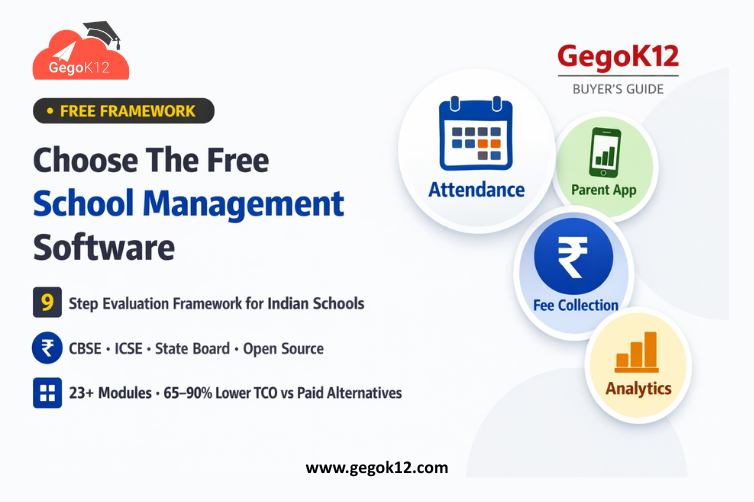
Implementation-Ready Framework: Use this data-driven evaluation methodology to select school management software that aligns with institutional needs, budget constraints, and long-term strategic goals — ensuring confident technology decisions that serve your school community for 10+ years.
Choosing school management software represents one of the most consequential technology decisions educational institutions make. The right platform transforms administrative efficiency, enhances parent engagement, improves academic outcomes, and positions schools competitively. The wrong choice creates years of operational frustration, unexpected costs, staff resistance, and eventual expensive platform replacement.
This comprehensive buyer’s guide provides the systematic evaluation framework schools need to navigate the crowded school management software market confidently. Rather than relying on vendor sales presentations or superficial feature comparisons, you’ll apply rigorous assessment criteria ensuring your selected platform delivers long-term value aligned with institutional priorities.
Step 1: Define Your Requirements Before Evaluating Solutions
Critical Mistake: Starting with vendor demos before clarifying needs.
Better Approach: Document specific requirements across all operational domains before reviewing any platforms.
Essential Requirements Categories
Academic Management
- Student information systems with complete academic history
- Grade books with multiple assessment types (formative, summative, competency-based)
- Report card generation matching board requirements (CBSE/ICSE/State)
- Examination management including question banks and automated grading
- Timetable generation handling complex scheduling constraints
Administrative Operations
- Admission management with online applications and document verification
- Fee collection with payment gateway integration (UPI, cards, net banking)
- Attendance tracking with instant parent notifications
- HR and payroll for staff management
- Inventory management for assets and supplies
Communication and Engagement
- Parent portals with mobile app access
- Teacher communication platforms
- SMS/email/push notification capabilities
- Notice board and event calendar
- Document sharing and distribution
Specialized Requirements
- Library management with barcode/RFID integration
- Transport management with GPS tracking
- Hostel management (if applicable)
- Online learning/LMS integration
- Certificate generation and verification
Create detailed requirement documents specifying must-have features versus nice-to-have capabilities. This clarity prevents vendor feature overwhelm during evaluation while ensuring no critical needs get overlooked.
Step 2: Establish Budget Parameters and TCO Framework
Beyond Sticker Price: Total Cost of Ownership
Implementation Costs
- Software licensing or platform access fees
- Implementation and configuration services
- Data migration from existing systems
- Staff training programs
- Hardware/infrastructure if required
Ongoing Operational Costs
- Annual subscription renewals
- Hosting/cloud infrastructure
- Technical support contracts
- Platform upgrades and updates
- Customization and maintenance
Hidden Cost Factors
- Per-student pricing that scales with enrollment growth
- Module upselling for features initially excluded
- Vendor-mandated upgrade cycles
- Staff time spent on workarounds for platform limitations
Open-source platforms like GegoK12 eliminate licensing costs entirely, offering superior TCO compared to subscription-based alternatives charging ₹50,000-500,000 annually.
Calculate 5-year TCO for realistic cost comparison rather than focusing solely on year-one expenses that mask long-term financial commitments.
Step 3: Evaluate Platform Architecture and Technology
Cloud vs Self-Hosted: Strategic Implications
Cloud-Based Platforms
✅ No infrastructure management required
✅ Automatic updates and backups
✅ Accessible from anywhere
❌ Data resides on vendor servers
❌ Dependent on vendor business continuity
❌ Ongoing subscription mandatory for access
❌ Limited customization options
Self-Hosted Open-Source (GegoK12)
✅ Complete data ownership and control
✅ Unlimited customization capability
✅ One-time implementation cost
✅ No vendor lock-in or dependency
✅ Deploy on institutional infrastructure
❌ Requires technical capability (manageable for most IT staff)
For Indian schools under data protection mandates or government regulations requiring data sovereignty, self-hosted deployment provides compliance certainty.
Modern Technology Stack Indicators
Red Flags (Outdated Technology):
- Platforms requiring Internet Explorer
- Desktop-only applications without web access
- Inability to access via mobile devices
- Proprietary database formats preventing data export
Green Flags (Modern Platforms):
- Web-based responsive design working across devices
- Mobile apps for parents, teachers, students
- RESTful APIs for integration
- Standard database formats (MySQL, PostgreSQL)
- Active development with regular updates
GegoK12’s Laravel/VueJS technology stack represents current web development best practices ensuring platform longevity and developer accessibility.
Step 4: Assess Vendor vs Community Support Models
Traditional Vendor Support
Advantages: Dedicated support teams, SLA guarantees, account management
Disadvantages: Support quality varies by pricing tier, vendor dependency, limited hours, ticket-based delays
Open-Source Community + Professional Support
Advantages: Global community knowledge base, comprehensive documentation, video tutorials, optional professional services
Disadvantages: Self-service requires basic technical comfort
Best Practice: Evaluate actual support response times and resolution quality through reference checks rather than accepting vendor claims about “24/7 support” that proves inadequate in practice.
For critical issues, community-supported platforms often provide faster resolution through collective troubleshooting than single-vendor support teams constrained by ticket queues.
Step 5: Integration Capabilities Assessment
Essential Integration Requirements
Student Information Systems Must integrate with academic platforms without duplicate data entry. GegoK12’s unified architecture naturally connects student information, academics, attendance, fees creating seamless data flow.
Payment Gateways Fee collection requires integration with Indian payment processors supporting UPI, cards, net banking, digital wallets. Verify actual gateway partnerships rather than promises of “integration capability.”
Communication Platforms SMS gateways, email services, mobile app push notifications must work reliably. Test actual notification delivery during evaluation.
Accounting Systems Fee collection should sync with accounting platforms preventing manual reconciliation. Standard data export formats enable integration even without native connectors.
Government Portals CBSE, ICSE, State Board reporting requires data export in specified formats. Verify platform supports required reporting schemas.
API Access Evaluation
Platforms providing well-documented APIs enable custom integrations addressing unique institutional needs. Proprietary systems limiting API access create integration barriers forcing expensive professional services engagement.
Step 6: User Experience and Adoption Potential
Staff Perspective
Teachers: How many clicks to mark attendance? How intuitive is grade entry? Can they access from personal devices?
Administrators: Are reports easily generated? Can they quickly find student information? Is dashboard clear and actionable?
Support Staff: Is fee processing straightforward? Can they handle common tasks without constant training?
IT Staff: Is the platform maintainable? Are configuration changes accessible? Is troubleshooting documented?
Parent and Student Experience
Mobile Access: Do mobile apps work smoothly? Is information easily discoverable?
Self-Service: Can parents view attendance, grades, fees without calling the school office?
Notification Quality: Are alerts timely, clear, actionable?
Request a pilot with real users testing core workflows before commitment. Vendor demos using perfect data with expert operators don’t reflect actual operational reality with busy staff and diverse technical comfort levels.
Step 7: Data Security and Privacy Compliance
Critical Security Criteria
Authentication and Access Control
- Role-based permissions limiting data exposure
- Secure password requirements
- Two-factor authentication for sensitive roles
- Automatic session timeouts preventing unauthorized access
Data Encryption
- Encrypted data transmission (SSL/TLS)
- Encrypted data storage
- Secure backup procedures
- Audit trails documenting all data access
Compliance Requirements
- GDPR compliance (for international schools)
- Indian data protection regulation adherence
- Educational data privacy best practices
- Right to data portability
Open-source platforms enable security verification through code review rather than relying solely on vendor security claims impossible to independently validate in proprietary systems.
Step 8: Customization and Future-Proofing
Customization Needs Assessment
Minor Customizations: Custom fields, report formats, workflow adjustments
Major Customizations: New modules, integration development, user interface modifications
Vendor Limitations: Proprietary systems charge ₹50,000-300,000 for customizations while limiting what’s possible without vendor approval.
Open-Source Advantages: Complete source code access enables unlimited customization without vendor involvement or approval processes.
Platform Longevity Indicators
Active Development: Regular updates, new feature releases, security patches
Community Engagement: Active user forums, contributed modules, developer participation
Technology Currency: Modern programming languages, current framework versions, active maintenance
Platforms abandoned by vendors or with declining communities create future migration risks. Open-source platforms with active communities ensure long-term viability independent of single vendor business health.
Step 9: Reference Checks and Due Diligence
Questions for Current Users
- How long did actual implementation take versus vendor estimates?
- What unexpected costs emerged post-implementation?
- How responsive is support when critical issues arise?
- What limitations discovered only after going live?
- Would you choose this platform again knowing what you know now?
Contact 3-5 schools similar to yours (size, location, budget) currently using platforms you’re evaluating. Vendor-provided references are pre-selected satisfied customers — seek independent references through professional networks.
Trial Period Evaluation
Minimum Viable Trial: 30-60 days with real institutional data testing actual workflows with actual users.
Evaluation Criteria During Trial:
- Staff adoption resistance or enthusiasm
- Technical issue frequency and resolution quality
- Feature gaps discovered during real-world use
- Performance under actual load conditions
Vendors offering only canned demos with sample data create unrealistic expectations. Insist on genuine trial periods with your data before commitment.
Common Mistakes to Avoid Choosing School Management Software
❌ Mistake 1: Feature Checklist Shopping
Vendors list hundreds of features. Focus on how well the platform handles your critical 10-15 workflows rather than total feature count.
❌ Mistake 2: Ignoring Implementation Complexity
“Easy to use” claims in demos don’t reflect staff training requirements and adoption challenges during real implementation.
❌ Mistake 3: Underestimating TCO
Year-one costs mask long-term financial commitments. Calculate 5-year total cost including subscriptions, upgrades, customizations, support.
❌ Mistake 4: Vendor Lock-In Blindness
Proprietary data formats, lack of export tools, and integration limitations create switching costs approaching reimplementation investments.
❌ Mistake 5: Skipping Reference Checks
Vendor sales materials and demos present idealized scenarios. Only current user experiences reveal operational reality.
Final Decision: Making the Confident Choice
After systematic evaluation using this framework, most schools discover open-source platforms like GegoK12 score highest across critical criteria:
✅ Feature Completeness: 23+ modules covering 100% of school operations
✅ TCO: 65-90% lower than paid alternatives
✅ Data Ownership: Complete institutional control
✅ Customization: Unlimited through source code access
✅ Vendor Independence: No lock-in, permanent platform access
✅ Support Options: Community + optional professional services
✅ Modern Technology: Current frameworks ensuring longevity
Implementation Readiness: Your Next Steps
Immediate Actions
Download GegoK12 — Access complete platform, explore features, test with sample data
Review Documentation — Understand technical requirements, configuration procedures, deployment options
Watch Implementation Tutorials — Learn setup procedures, configuration best practices, module usage
Contact Professional Services — Discuss guided implementation, custom development, managed hosting
30-Day Evaluation Plan
Week 1: Install platform, configure basic settings, import sample student data
Week 2: Test core workflows (attendance, grades, fees) with staff volunteers
Week 3: Evaluate parent mobile app, communication features, reporting
Week 4: Assess overall fit, document gaps, make final decision
Systematic evaluation eliminates decision anxiety while ensuring selected platform genuinely serves institutional needs for the long term.
Conclusion: Choose Strategically, Implement Confidently
Choosing school management software shapes institutional operational efficiency, parent satisfaction, and budget health for years. Rushing decisions based on vendor sales pressure creates expensive mistakes requiring eventual platform replacement.
Apply this systematic evaluation framework ensuring your selected platform aligns with institutional needs, budget realities, and strategic priorities. The data consistently points toward open-source solutions delivering superior value compared to expensive proprietary alternatives charging recurring fees for equivalent functionality.
Make the confident, strategic choice. Choose data ownership. Choose budget efficiency. Choose long-term institutional independence. Choose GegoK12.