
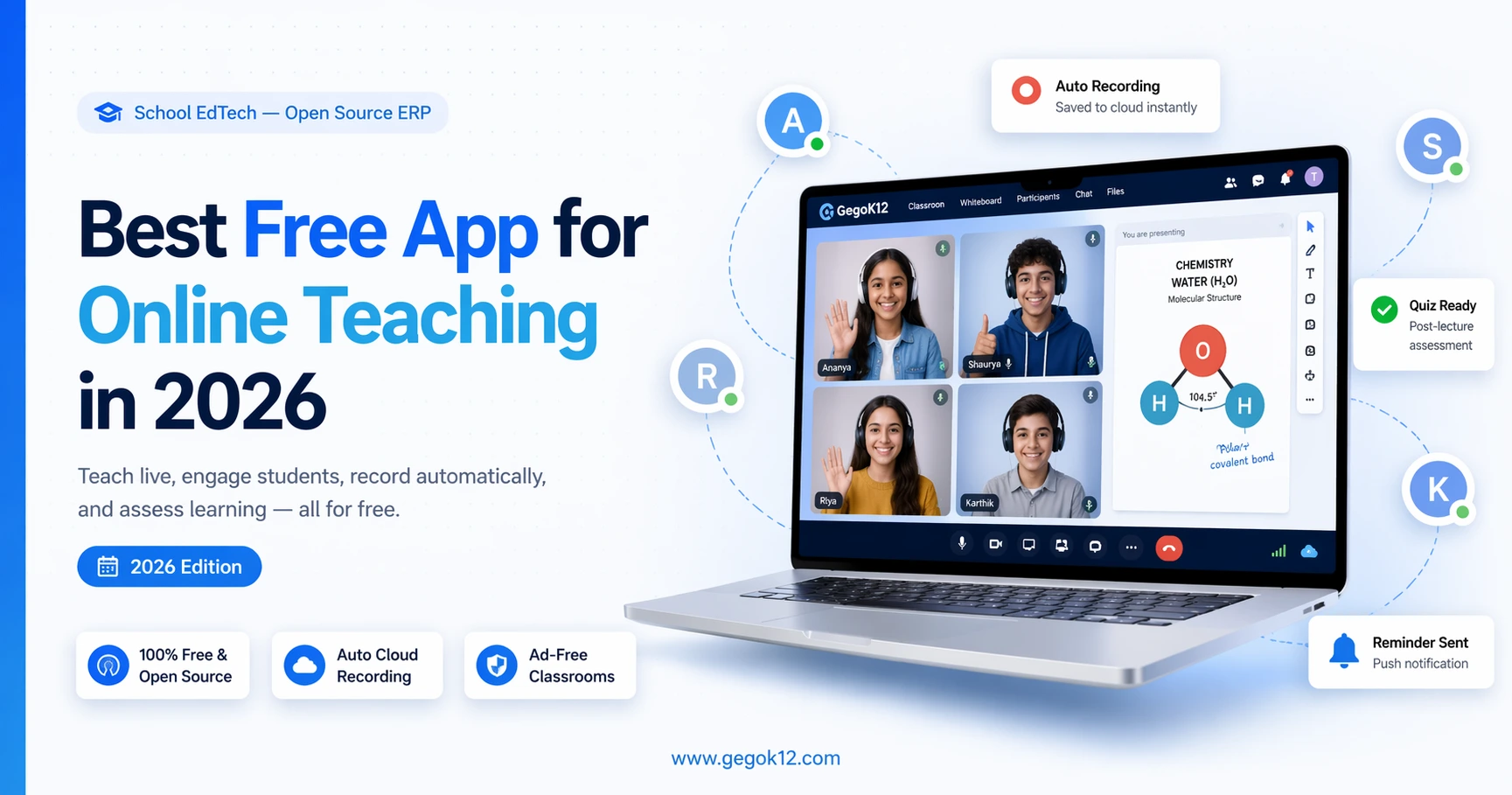
The best free app for online teaching in 2026 for schools is GegoK12’s Video Lecture Room — a 100% free, open-source, ad-free virtual classroom module that lets teachers schedule live classes, auto-record sessions to the cloud, share screens, and give students 24/7 access to recorded lectures — all within a secure, integrated school ERP platform. No time limits. No ads. No licensing fees. Try it free →
Introduction: Online Teaching in 2026 Is Still Broken for Schools
It’s 2026. AI is reshaping classrooms. Hybrid learning is the new normal. And yet — most schools are still cobbling together online teaching from five different free apps that were never designed for education.
You’ve seen it. The teacher who runs classes on a basic video app, sends homework via messaging, marks attendance on a spreadsheet, and uses a separate quiz tool to test learning. Five platforms. Five logins. Five points of failure.
In 2026, this is no longer acceptable — and it’s no longer necessary.
The problem was never that free tools don’t exist. The problem is that most free tools are:
- 🚫 Built for general consumers, not for schools
- 🚫 Ad-supported, exposing minors to inappropriate content
- 🚫 Isolated, with no connection to your attendance, timetable, or exam system
- 🚫 Limited on free plans, with recording locked behind paywalls
- 🚫 A data privacy risk, storing your students’ information on commercial servers
In 2026, the benchmark for the best free app for online teaching must be higher. It must be purpose-built, integrated, secure, and genuinely free — not freemium.
That solution is GegoK12’s Video Lecture Room.
What Is GegoK12? (The Platform Behind the Tool)
GegoK12 is a free and open-source school management system (School ERP) — MIT licensed, built on PHP + Laravel, and designed exclusively for K–12 schools across India and globally.
The Video Lecture Room is not a standalone app. It is one powerful module inside a complete school operating system that handles everything from admissions to exams, timetables to transport, payroll to parent communication.
This matters enormously in 2026 — because the best online teaching tool is one that talks to the rest of your school, not one that sits in isolation.
The entire platform is open-source and freely available on GitHub. You can deploy it on your own server, customise it to your school’s needs, and scale it without ever paying a licensing fee.
Why Generic Free Apps Are Failing Schools in 2026
Let’s name the problems directly.
Problem 1: Ads Inside Virtual Classrooms
In 2026, ad-supported free platforms continue to inject commercial content into learning environments. A student watching a live class replay shouldn’t be interrupted by a fast food ad. Yet this is still the reality of using consumer video platforms.
Problem 2: No Integration with School Operations
Your online class tool needs to know your timetable, your student roster, your attendance rules, and your exam calendar. Consumer apps know none of these things. In 2026, schools cannot afford disconnected data silos.
Problem 3: AI-Driven Distractions
In 2026, recommendation algorithms are more sophisticated than ever. Free platforms use AI to serve up engaging content — which is exactly what you don’t want when your Class 9 student is trying to focus on a chemistry lecture.
Problem 4: Recording Restrictions on Free Plans
Most platforms still reserve cloud recording for paid tiers in 2026. Miss a class? Bad luck — unless your school is paying. GegoK12 auto-records every session for free.
Problem 5: Student Data Sovereignty
With increasingly strict data protection awareness in 2026, schools can no longer afford to have student video data sitting on commercial global servers. Self-hosted solutions give schools complete control.
GegoK12 Video Lecture Room: Feature-by-Feature Breakdown (2026)
The GegoK12 Video Lecture Room is purpose-engineered for schools. Here is exactly what it delivers in 2026.
🎯 1. Smart Class Scheduling — Built Into Your School Calendar
Teachers schedule live sessions directly from the GegoK12 dashboard. Each session auto-syncs with the Timetable Generator and the Calendar, Event & Gallery module — creating one unified school calendar visible to teachers, students, and parents.
No Google Calendar. No separate Outlook invite. No copy-paste scheduling. One system. One calendar. Zero confusion.
🎯 2. Automated Pre-Class Reminders
Before every scheduled session, the system automatically pushes reminders to students and parents via the SMS / Push Notification module. In 2026, where attention is fractured across dozens of apps, automated reminders directly inside the school platform are a non-negotiable feature.
🎯 3. High-Quality, Interruption-Free Live Streaming
The Video Lecture Room delivers school-grade, reliable live streaming optimised for educational use. In 2026, with hybrid classrooms becoming the standard for most schools, reliable streaming is the foundation of every online teaching solution.
No bandwidth-hungry commercial features. No unexpected stream interruptions. Just clean, dependable delivery of your lesson to every student.
🎯 4. Screen Sharing & Real-Time Interactive Tools
In 2026, passive video delivery is not enough. Teachers need to engage, demonstrate, and interact. The GegoK12 Video Lecture Room supports:
- Full screen sharing — present slides, diagrams, code, or any screen content
- Webcam-enabled face-to-face instruction — keep human connection central to learning
- Real-time student interaction — questions, responses, and engagement in the moment
Combine this with the Lesson Plan module to pre-structure every session, and the Online Quiz module to test comprehension immediately after class — creating a complete teaching loop.
🎯 5. Automatic Cloud Recording — Every Session, Every Time
This is one of the most decisive advantages of GegoK12in 2026.
Every live class is automatically recorded and stored securely on the cloud — no manual action required. Students can log in at any time and download or replay recorded video lectures from their dashboard.
This is critical for:
- 📌 Students absent due to illness or travel
- 📌 Revision before mid-terms and finals
- 📌 Slow learners who need multiple exposures to a topic
- 📌 Parental oversight of lesson quality
In 2026, with personalised learning becoming the standard expectation, on-demand lecture access is not a bonus — it is a baseline requirement.
🎯 6. Completely Ad-Free & Secure Environment
In 2026, this remains the defining differentiator of GegoK12 over every consumer video platform.
No ads. No recommended content. No third-party intrusions. No algorithmic distractions.
The Video Lecture Room is a walled, school-controlled learning space. Every student who enters has been authenticated by the school’s own system. Everything they see is school-approved. Nothing else gets in.
This is what a responsible online teaching platform looks like in 2026.
🎯 7. 24/7 On-Demand Access to Lectures
Learning in 2026 happens at all hours. A student studying late at night, a parent reviewing what was taught today, a teacher checking whether a recorded session was saved correctly — all of this is available instantly, at any time, from any device.
How the Video Lecture Room Connects to Your Entire School Platform
In 2026, the most powerful argument for GegoK12 is integration. Here is how the Video Lecture Room works with the rest of the school’s modules:
| Module | How It Connects |
|---|---|
| Timetable Generator | Live sessions auto-populate from the generated timetable |
| Attendance Management | Online session participation is tracked automatically |
| Lesson Plan | Teachers plan each live class with pre-mapped curriculum goals |
| Online Quiz Module | Deploy instant post-lecture assessments for every session |
| Private Chat Module | Secure async communication between teachers and students |
| SMS / Push Notifications | Automated reminders delivered to students and parents |
| Exam Scheduling | Online class content aligned to the exam calendar |
| Student Information Management | Student profiles, class access rights, and learning records unified |
| Calendar, Event & Gallery | All live sessions visible on the school’s shared calendar |
| Certificate Generation | Reward completion of online learning programmes automatically |
No standalone app in 2026 can replicate this. GegoK12 is not an app. It is an ecosystem.
Who Is GegoK12 Video Lecture Room Built For in 2026?
🏫 School Principals & Administrators
You manage results, not tools. GegoK12 gives you one dashboard for live classes, attendance, assessments, and communication — no platform-switching, no oversight gaps.
👩🏫 Subject Teachers
You need technology that gets out of your way. In 2026, scheduling a live class in GegoK12 takes three clicks. Recording is automatic. Reminders go out by themselves. You focus on teaching.
👨👩👧 Parents
Your child’s 2026 virtual classroom is completely safe. School-controlled, ad-free, and accessible on demand for revision and catch-up.
🎓 Students
Your recorded lectures are available 24/7. You can catch up, revise, and revisit any lesson, on any device, at any time. Learning never stops because a class was missed.
💻 School IT Teams & Developers
GegoK12 is fully open source. The complete source code is on GitHub under MIT licence. In 2026, your team can customise the Video Lecture Room, add AI features, integrate with your school’s existing systems, or build entirely new modules — with zero vendor restrictions.
How to Get Started in 2026: Step-by-Step
Step 1: Get the Code
Download or fork the GegoK12 GitHub repository. MIT licensed. Free to use, modify, and deploy.
Step 2: Read the Docs
The official GegoK12 documentation covers server setup, module configuration, and everything your IT team needs to go live quickly.
Step 3: Watch the Tutorials
The GegoK12 YouTube tutorial playlist walks through each module with live screen recordings — including the full Video Lecture Room setup walkthrough.
Step 4: Book a Free Demo
The GegoK12 team offers a free demo session with school tech advisors who will walk you through the platform live, answer questions specific to your school, and help you map out your deployment plan.
Step 5: Deploy on Your Terms
Choose self-hosting on AWS, DigitalOcean, Google Cloud, or any modern server. Or opt for GegoK12’s managed hosting. Either way, your school owns the data, the platform, and the experience.
GegoK12 vs. Other Free Apps for Online Teaching in 2026
| Feature | GegoK12 Video Lecture Room | Zoom Free (2026) | Google Meet Free (2026) | YouTube Live |
|---|---|---|---|---|
| Genuinely Free — No Caps | ✅ Yes | ❌ 40-min limit | ✅ Yes | ✅ Yes |
| Ad-Free Environment | ✅ Yes | ✅ Yes | ✅ Yes | ❌ No |
| Auto Cloud Recording (Free) | ✅ Yes | ❌ Paid only | ❌ Paid only | ✅ Yes |
| Integrated with School ERP | ✅ Yes | ❌ No | ❌ No | ❌ No |
| Timetable-Synced Scheduling | ✅ Yes | ❌ No | ❌ No | ❌ No |
| Automated Student Reminders | ✅ Yes | ❌ No | ❌ No | ❌ No |
| Self-Hosted Data Ownership | ✅ Yes | ❌ No | ❌ No | ❌ No |
| Quiz & Assessment Integration | ✅ Yes | ❌ No | ❌ No | ❌ No |
| Open Source & Customisable | ✅ Yes | ❌ No | ❌ No | ❌ No |
| Built Exclusively for Schools | ✅ Yes | ❌ No | ❌ No | ❌ No |
A Day in the Life: Using GegoK12 in a 2026 School
7:30 AM — Teacher logs into GegoK12. The auto-generated timetable (from the Timetable Generator) shows three live sessions for the day.
8:00 AM — Students and parents receive automated push notification reminders for today’s first session at 9 AM.
9:00 AM — Teacher clicks “Start Live Class.” All students join the secure, ad-free virtual classroom. Cloud recording begins automatically in the background.
9:50 AM — Class ends. Session recording is instantly saved to the cloud. Two absent students will access it later today.
10:00 AM — Teacher publishes a post-lecture quiz via the Online Quiz Module linked to today’s topic. Results are tracked against each student’s profile.
11:00 AM — Second live session begins. Teacher shares screen to display a 3D molecular diagram.
3:00 PM — End of day. The Attendance Management dashboard logs participation for all three sessions. Three parent messages are waiting in the Private Chat Module. All class recordings are accessible for students in their dashboard.
This is what seamless, integrated online teaching looks like in 2026. No switching apps. No lost recordings. No data silos.
Frequently Asked Questions – Best Free App for Online Teaching 2026
Q: What is the best free app for online teaching in 2026?
For schools specifically, GegoK12’s Video Lecture Room is the best free app for online teaching in 2026. It is fully free and open-source, built exclusively for K-12 education, offers automatic cloud recording, is completely ad-free, and is integrated with a full school management system — including timetables, attendance, quizzes, and parent notifications.
Q: Is GegoK12 still free in 2026?
Yes. GegoK12 remains 100% free and open-source under the MIT licence in 2026. There are no licensing fees for the core platform including the Video Lecture Room. Optional managed hosting and premium support plans are available for schools that need them.
Q: Can I self-host GegoK12 in 2026?
Absolutely. GegoK12 is designed for self-hosting. You can deploy it on any modern server infrastructure — AWS, DigitalOcean, Google Cloud, or your own on-premise servers. Full setup instructions are available in the official documentation.
Q: How does GegoK12 compare to AI-powered teaching tools in 2026?
GegoK12 in 2026 provides a reliable, school-controlled foundation that AI tools can be layered upon. Its open-source architecture means schools can integrate AI features, LLM-based tutoring assistants, or smart analytics without replacing the core platform.
Q: Where can I see GegoK12 in action?
The GegoK12 YouTube tutorial playlist has screen recordings of all modules. You can also book a free live demo with the GegoK12 team.
Q: Is GegoK12 suitable for Indian schools in 2026?
Yes. GegoK12 is specifically optimised for Indian K-12 schools including CBSE, ICSE, State Board, and IB institutions. It is built by GegoSoft Technologies, based in Madurai, India, and trusted by schools across the country.
The Verdict: In 2026, Schools Deserve Better Than Repurposed Consumer Apps
The year is 2026. Hybrid learning is standard. Students expect on-demand access to lessons. Parents expect transparency. Teachers expect tools that work seamlessly with their school — not despite it.
The best free app for online teaching in 2026 is not a consumer video tool with a free tier. It is a purpose-built, school-grade, open-source platform that handles the full teaching lifecycle — from scheduling to streaming to recording to assessment.
GegoK12’s Video Lecture Room is that platform. And it is completely free.
🚀 Your 2026 Action Plan — Start Today
| What You Want to Do | Where to Go |
|---|---|
| 📂 Get the free source code | GegoK12 on GitHub |
| 📖 Read the full setup guide | Official Documentation |
| 🎥 Watch 2026 tutorials | GegoK12 YouTube Playlist |
| 🖥️ Explore the full ERP platform | Free Open Source School ERP |
| 🎓 See a live demo | Book Your Free Demo Session |
Related GegoK12 Modules to Explore in 2026
- Online Quiz Module — Post-lecture assessments for real-time learning evaluation
- Lesson Plan Module — Pre-plan and structure every live session with curriculum alignment
- Timetable Generator — Auto-generate class schedules that sync directly with live sessions
- Private Chat Module — Secure, school-controlled teacher-student messaging
- Attendance Management — Track live session participation across all classes
- SMS / Push Notifications — Automated reminders for upcoming online classes
- Exam Scheduling — Align your online teaching plan with your full exam calendar
- Student Information Management — Unified student profiles connected to all learning activity
- Fee Management System — Manage school finances while your teachers focus on teaching
- Certificate Generation — Automatically issue digital certificates after online course completions
This article is part of GegoK12’s 2026 content series on school technology, open-source EdTech, and modern school management. Explore more at gegok12.com.