
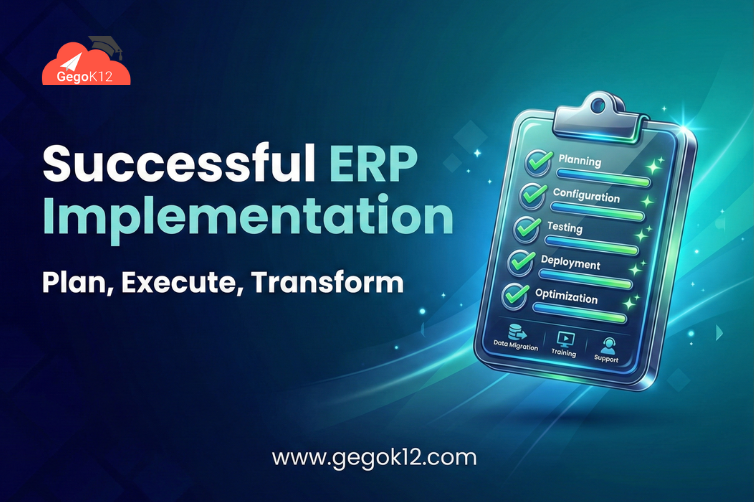
Investing in school ERP software represents a significant decision involving considerable financial commitment, organizational change, and stakeholder coordination. Yet studies show that 60-70% of ERP implementations fail to meet objectives or deliver expected value. These failures aren’t due to bad software—they result from poor planning, inadequate change management, insufficient training, unrealistic expectations, and underestimating the organizational transformation required for successful adoption. The difference between implementations that transform schools and those that become expensive disappointments lies not in the technology chosen but in how implementation is approached.
Successful school ERP implementation requires treating it as an organizational change project, not merely a technology installation. It demands executive commitment, comprehensive planning, systematic training, clear communication, realistic timelines, and ongoing support. Schools that approach implementation strategically, learning from others’ mistakes and following proven practices, achieve transformative results—dramatically improved efficiency, better data visibility, enhanced stakeholder satisfaction, and strong return on investment. Understanding what makes implementations succeed or fail and following a systematic approach dramatically improves your chances of joining the successful minority rather than the disappointed majority.
Why School ERP Implementations Fail: Learning from Common Mistakes
Before diving into success strategies, understanding common failure modes helps schools avoid repeating others’ mistakes. ERP implementation failures typically stem from predictable causes:
Inadequate Planning and Preparation
Many schools rush into implementation without sufficient groundwork. They don’t clearly define objectives and success criteria, fail to assess current processes and workflows, underestimate the scope of organizational change required, neglect to identify and engage key stakeholders early, or allocate insufficient time for proper implementation. This inadequate preparation creates problems throughout the project as schools discover issues they should have anticipated and addressed during planning.
Poor Change Management
Perhaps the most common cause of failure is treating ERP implementation as a technical project when it’s fundamentally an organizational change initiative. Schools that neglect change management experience staff resistance, low adoption rates, continued use of old manual processes alongside the new system, and failure to realize expected benefits because people don’t actually change how they work.
Insufficient Training and Support
Providing inadequate training sets implementations up for failure. When users don’t understand the new system, they struggle, become frustrated, resist adoption, work around the system rather than with it, and blame the software for problems that are actually training deficiencies. Comprehensive, role-specific training is essential but often underinvested.
Unrealistic Expectations and Timelines
Schools sometimes expect ERP systems to solve problems without process changes, deliver immediate benefits without adjustment periods, require no staff time or effort to implement, or deploy in unrealistically compressed timelines. These magical thinking expectations guarantee disappointment when reality involves necessary effort, adjustment, and time.
Lack of Executive Leadership and Commitment
When school leadership doesn’t actively champion ERP implementation, projects languish. Without visible executive support, staff don’t prioritize adoption, resistance goes unaddressed, resources aren’t allocated adequately, and the project stalls or fails. Executive commitment isn’t optional—it’s foundational.
The Cost of Failure: Failed school ERP implementations waste 50-80% of project investment, disrupt operations, damage staff morale, erode confidence in leadership decisions, and delay digital transformation by years. Success rates improve dramatically when schools learn from these common failures and implement proven strategies for success.
Phase 1: Strategic Planning and Preparation
Successful implementations begin with thorough planning:
Define Clear Objectives and Success Criteria
What specific problems will the ERP system solve? What measurable outcomes define success? Vague goals like “improve efficiency” need translation into concrete, measurable targets: reduce administrative time by X hours weekly, improve parent satisfaction scores by X%, decrease error rates to below X%, or achieve X% staff adoption within Y months. Clear objectives guide all subsequent decisions and provide benchmarks for evaluating success.
Assess Current State Thoroughly
Document existing processes, identify pain points and inefficiencies, inventory current systems and data sources, evaluate staff readiness and technology literacy, and assess infrastructure capabilities (network, devices, internet). This current-state assessment reveals what needs changing and informs realistic planning.
Build a Strong Implementation Team
Assign a dedicated project manager with appropriate authority, include representatives from all affected departments, designate system administrators and super-users for ongoing support, ensure executive sponsor involvement and commitment, and consider external consultants for specialized expertise if needed. The team composition significantly influences project success.
Create Realistic Timelines and Milestones
Quality ERP implementation takes 2-4 months minimum for most schools, depending on size and complexity. Rushing creates problems. Break the project into phases with clear milestones: data preparation and migration, system configuration and customization, training and testing, parallel operation (running old and new systems simultaneously), full transition, and ongoing optimization. Realistic timelines prevent the stress and shortcuts that undermine quality.
Allocate Adequate Resources
Budget not just for software but also for implementation services, training and support, hardware and infrastructure upgrades if needed, staff time during implementation (recognizing that people will divide attention between implementation and regular duties), and contingency for unexpected challenges. Underfunded implementations struggle and fail.
Phase 2: System Selection and Configuration
Choosing the right school ERP software is crucial. Key selection criteria include:
Comprehensive functionality matching your needs, intuitive user experience requiring minimal training, strong vendor support and training resources, proven track record with similar schools, reasonable total cost of ownership including implementation and ongoing costs, scalability as your school grows, and integration capabilities with existing systems. For many Indian schools, open-source school ERP systems provide optimal balance of functionality, cost-effectiveness, and flexibility.
Once selected, configure the system to match your workflows rather than forcing your processes to match default configurations. Most quality systems offer extensive customization. Take advantage of this flexibility to create user experiences that feel natural to your staff rather than forcing them to adapt to generic interfaces.
Phase 3: Data Migration and Preparation
Data migration—transferring information from current systems to the new ERP—is often underestimated. Successful migration requires:
Data cleanup before migration: Correct errors in current data, remove duplicates and outdated records, standardize formats and conventions, and validate completeness and accuracy. Clean data produces clean systems; garbage in, garbage out applies critically to migrations.
Careful mapping and transformation: Determine how data in old systems maps to new system fields, plan transformations for data format differences, preserve critical historical information, and maintain data relationships and integrity. Poor mapping creates confusion and errors in the new system.
Thorough testing before go-live: Migrate sample data and verify accuracy, test all system functions with real data, identify and fix migration issues before full launch, and ensure reports generate correctly with migrated information. Testing catches problems while they’re easily fixable rather than after everyone depends on the new system.
Phase 4: Training and Change Management
This phase often determines success or failure:
Comprehensive, Role-Specific Training
Don’t conduct one-size-fits-all training. Teachers need different training than office staff, who need different training than administrators. Role-specific training focuses on what each user group actually needs to know, making training more efficient and effective. Include: hands-on practice with realistic scenarios, written documentation and video tutorials for reference, ongoing support channels for questions, and refresher training after initial implementation.
Quality documentation combined with effective training creates confident users who embrace rather than resist new systems.
Effective Change Management Strategies
Address the human side of change through: clear, consistent communication about why change is happening, benefits for different stakeholder groups, involvement of staff in planning and decision-making, identification and empowerment of champions who advocate for the system, acknowledgment of concerns and resistance with empathy, celebration of early wins and success stories, and patience during the adjustment period.
Change management isn’t optional—it’s the difference between successful adoption and expensive failure.
Executive Leadership and Modeling
School leaders must visibly use and advocate for the new system. When principals and administrators actively use the ERP system, staff recognize its importance. When leadership doesn’t use it, staff question why they should invest effort. Executive modeling powerfully influences adoption.
Phase 5: Parallel Operation and Testing
Before fully transitioning, run parallel operations where both old and new systems operate simultaneously. This period:
Allows verification that the new system produces accurate results by comparing with familiar old system outputs, provides safety net if unexpected problems emerge, builds user confidence through repeated successful use, and identifies issues while old system remains available as backup. Parallel operation typically lasts 2-4 weeks—long enough to verify reliability but short enough to prevent indefinite delay.
Phase 6: Full Transition and Go-Live
When transitioning fully to the new system:
Choose timing strategically (avoid peak busy periods), communicate transition clearly to all stakeholders, ensure support resources are readily available, monitor closely for issues during initial period, address problems quickly before they escalate, and maintain positive communication emphasizing successes while acknowledging challenges. The go-live period requires heightened attention but represents the culmination of careful preparation paying off.
Phase 7: Ongoing Optimization and Support
ERP implementation doesn’t end at go-live—it transitions to ongoing optimization:
Monitor system usage and adoption rates, gather user feedback on pain points and improvement opportunities, continue training as new staff join or features are added, optimize workflows based on actual use patterns, expand system use to additional functions or modules, and maintain regular communication about system updates and improvements. Continuous improvement ensures you extract maximum value from your investment over time.
Measuring Implementation Success
How do you know if ERP implementation succeeded? Track key metrics:
Adoption rates: What percentage of intended users actively use the system? Success requires 90%+ adoption. Lower rates indicate training or change management gaps.
Efficiency improvements: Are administrative tasks actually taking less time? Document time savings in specific processes you aimed to improve.
Data accuracy and quality: Error rates should decrease substantially. More accurate data means the system is working as intended.
User satisfaction: Survey staff about their experience. Rising satisfaction indicates successful implementation while persistent dissatisfaction signals problems to address.
Achievement of specific objectives: Are you hitting the concrete goals defined during planning? This is the ultimate success measure.
Return on investment: Calculate benefits (time savings, reduced errors, improved collections, etc.) versus costs. Successful implementations typically show positive ROI within 12-18 months.
FAQ: School ERP Implementation Questions
Q: How long should school ERP implementation take?
Quality implementations typically require 2-4 months from selection through go-live, depending on school size and complexity. Longer timelines allow thorough training and change management. Rushed implementations sacrifice quality and risk failure.
Q: Can we implement ERP during the school year or should we wait for summer?
Both approaches work. Summer implementations avoid disrupting academic operations but staff may be less available. School-year implementations maintain momentum but require careful timing to avoid peak busy periods. Choose based on your specific constraints.
Q: Should we implement all modules at once or phase the rollout?
Phased rollout reduces complexity and risk. Start with core modules (student information, attendance), prove success, then expand to additional functions. All-at-once approaches work for small schools or those with strong technical capacity.
Q: What if staff resist the new system?
Resistance is normal. Address it through clear communication of benefits, involvement in planning, comprehensive training, patience during adjustment, and leadership modeling. Most resistance fades with positive early experiences and peer pressure as colleagues adopt successfully.
Q: How much training do staff really need?
More than you think. Plan for 4-8 hours of initial training plus ongoing support. Undertrained users struggle and resist. Overtrained users become confident advocates. Budget generously for training—it’s the best implementation investment you can make.
Implementation Success Stories: What Works
Learning from successful implementations reveals common patterns:
Case Study—Medium-Sized Private School: Allocated 3 months for implementation with dedicated project team, involved teachers in system configuration decisions, provided 6 hours of role-specific training plus ongoing support, ran parallel operations for 4 weeks building confidence, achieved 95% adoption within 2 months of go-live, and documented 12 hours weekly administrative time savings across staff within first term. Success factors: thorough planning, comprehensive training, strong leadership commitment.
Case Study—Rural Government School: Started with open-source ERP to eliminate licensing costs, focused initially on attendance and communication—highest pain points, leveraged smartphone ownership for mobile app distribution, provided basic computer literacy training alongside ERP training, achieved 85% parent app adoption within 2 months, and documented improved attendance through instant notifications. Success factors: realistic scope, addressing clear pain points, meeting users where they are technologically.
Common threads: clear objectives, adequate time, comprehensive training, strong leadership, realistic expectations, and persistence through initial challenges.
Special Considerations for Indian Schools
ERP implementation in Indian contexts involves unique considerations:
Board compliance requirements: Ensure the system supports your board’s specific needs—CBSE CCE, ICSE assessment structures, state board requirements.
Language and localization: Many schools serve multilingual communities. Systems supporting Hindi, regional languages, and English facilitate broader adoption.
Varied technology literacy: Staff technology comfort varies widely. Training must accommodate different starting points without leaving anyone behind.
Infrastructure realities: Internet reliability varies. Consider systems with offline capabilities and modest bandwidth requirements.
Cost sensitivities: Budget constraints are real. Open-source solutions like GegoK12 eliminate licensing barriers while providing enterprise functionality.
Working with Implementation Partners
Many schools benefit from implementation partner support. Quality partners provide: project management and coordination expertise, technical implementation and configuration services, comprehensive training delivery, change management consultation, ongoing support during and after go-live, and knowledge transfer ensuring self-sufficiency. Evaluate partners based on experience with similar schools, understanding of educational operations (not just technical expertise), training methodology and resources, support availability and responsiveness, and clear pricing without hidden fees.
Even with partners, schools must remain actively engaged. Implementation partners can’t do it for you—they facilitate and support your organizational change.
Long-Term Success: Beyond Initial Implementation
Successful ERP implementation launches an ongoing journey rather than ending at go-live:
Continue expanding system use as staff become comfortable, optimize workflows based on actual usage patterns, integrate additional functions and modules over time, provide refresher training and support for ongoing skill development, stay current with system updates and new features, and maintain active user communities sharing best practices and solving problems collaboratively. Ongoing training resources help schools continuously improve their ERP utilization.
The most successful schools view ERP systems not as projects to complete but as platforms for continuous operational improvement. They keep evolving their use, discovering new efficiencies, and extracting increasing value year after year.
Your Implementation Success Starts with Planning
The difference between ERP implementations that transform schools and those that disappoint isn’t the software—it’s the approach. Technology alone doesn’t deliver results. Strategic planning, comprehensive training, effective change management, realistic expectations, adequate resources, and persistent leadership make the difference between success and failure.
If you’re planning school ERP implementation, invest time in proper preparation. Learn from others’ mistakes. Follow proven practices. Treat it as the organizational change project it truly is rather than mere technology installation. The effort you invest in planning and execution determines whether your ERP system becomes a transformative asset driving efficiency and improvement or an expensive disappointment gathering dust.
Success is achievable—the majority of well-planned, properly executed implementations deliver substantial value. Make sure yours joins the successful minority rather than the disappointed majority. Your students, staff, and institution deserve the benefits that successful digital transformation provides.